Your restaurant POS is the tablet already on the counter
Platevio is a cloud based restaurant POS system that opens in a browser tab. The iPad on the counter, the Android tablet in the back, the phone in your waiter’s apron — they all run the same POS, at the same moment, with nothing installed on any of them.
What you need
- A working internet connection Orders move between the floor and the kitchen over the internet. If your signal genuinely drops during service, weigh that first.
- You keep the card machine you have Platevio records what each table owes and marks it paid. The money itself goes through the card machine or the cash drawer you already use.
- You bring your own devices Any phone, tablet, iPad or computer with a current browser. There is no Platevio hardware to buy: the devices you have are enough.
What a cloud based restaurant POS system is
A cloud based POS — cloud POS, web based point of sale, browser POS, the same thing under four names — keeps your menu, your orders and your sales on servers you reach over the internet, instead of on a machine sitting in the back office. The practical difference is not where the data lives; it is what you have to own. A legacy system is bought as a box, and the box is the thing that runs it, so every extra station is another box. A cloud system is a web address, so every extra station is a device somebody already owns. That is the whole of it, and it is why the same product can run a counter on an iPad and a floor on six phones without anything being bought, installed or synced.
-
The menu lives on the server
One menu, read by every device. Change a price on the tablet and every phone in the building is showing the new one — there is no copy on any device to fall behind.
-
The orders live there too
A waiter sends an order and it is on the kitchen screen. Nothing is queued on a device, so nothing is lost when a phone dies mid-shift.
-
The devices are just windows
A tablet, an iPad, a phone, a laptop — each one opens the same address and sees the same service. Losing a device costs you the device, not the day.
-
No install night
New devices join by opening a web address or installing the app. New versions reach every screen on their own. There is no install night, and no station running last month’s version.
-
Readable from anywhere
The same address works from the office upstairs or from home. Saturday’s numbers do not require standing at the terminal that recorded them.
-
It is a POS, not a suite
Orders, kitchen, tables and bills, done properly. Platevio does not sell you an inventory module or a loyalty programme to make the demo look longer.
Runs on the phone, tablet or iPad you already own
This is the part vendors make complicated. A restaurant POS on an iPad, a tablet POS for a restaurant, a mobile POS for a waiter’s pocket — those are three product lines in most catalogues, priced separately and sold with their own hardware. Here they are one web address opened on three devices. If the device has a current browser and a connection, it runs the POS: the iPad on your counter, the Android tablet you bought for the kitchen, the phones your staff already carry, the laptop in the office. Nothing to buy to find out.
-
iPad and tablet
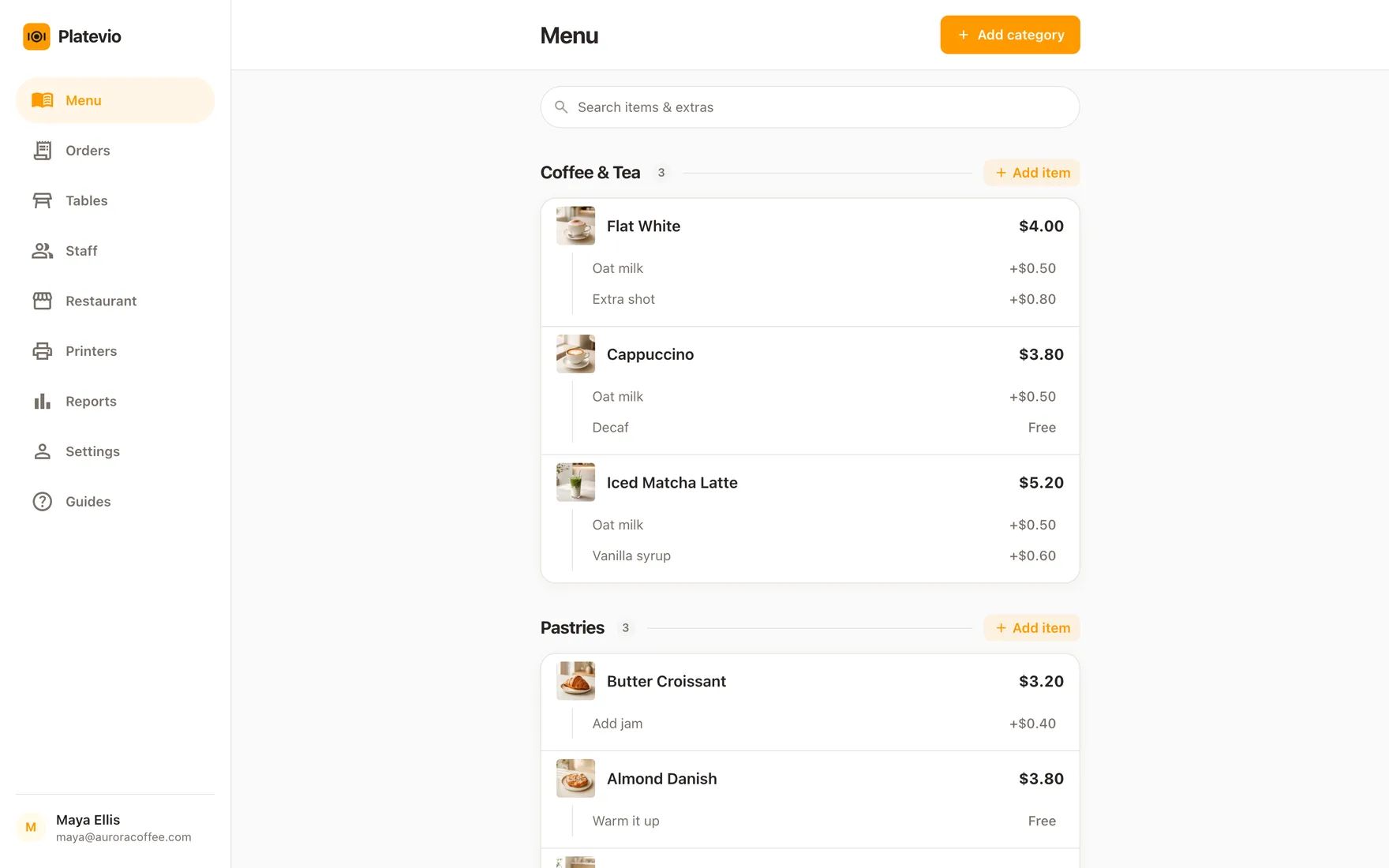
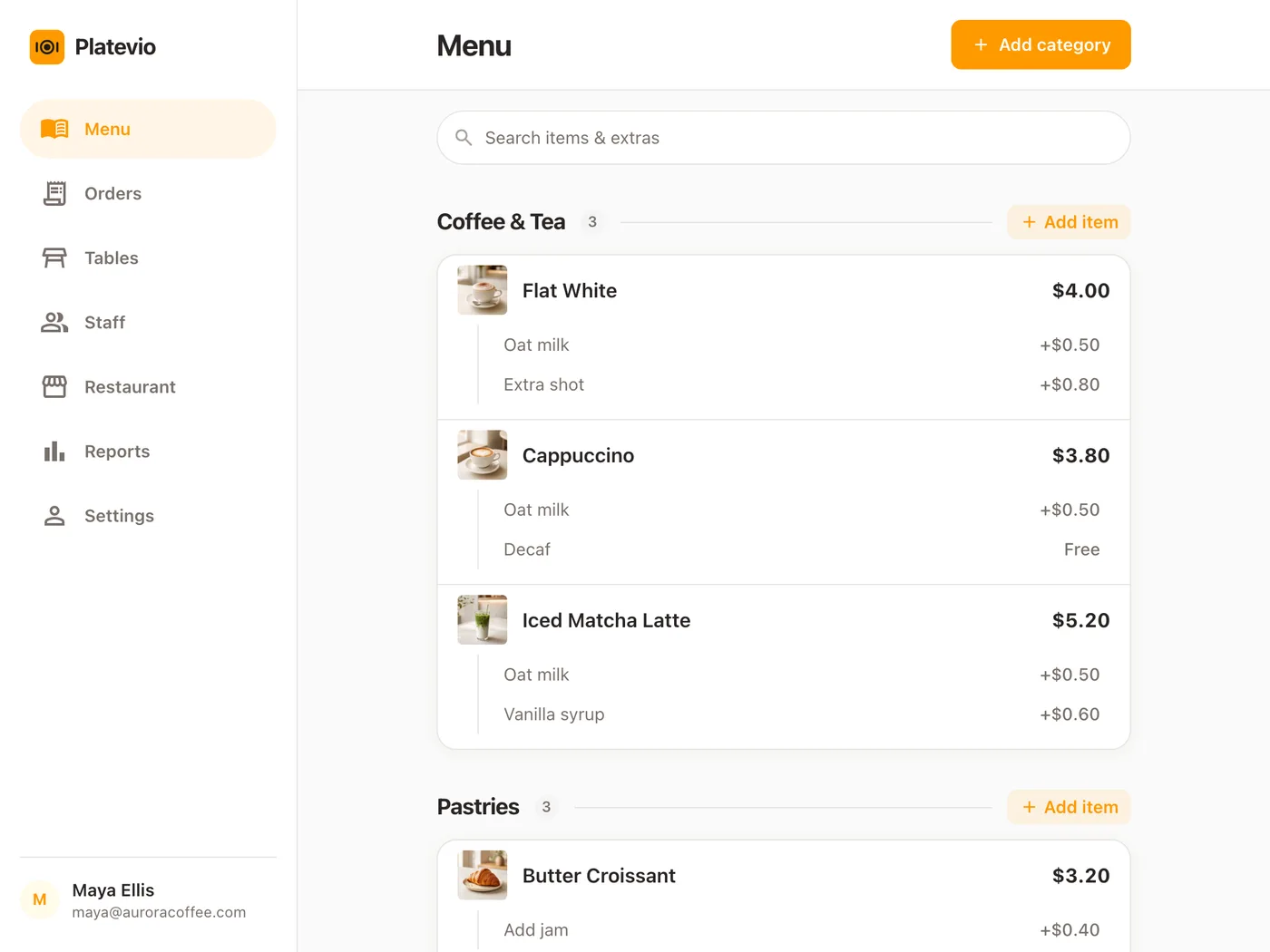
The full menu with photos, extras and notes, laid out for a counter. This is the screen most restaurants run their day on, and it works the same on an iPad as on an Android tablet.
-
Phones, in an apron pocket
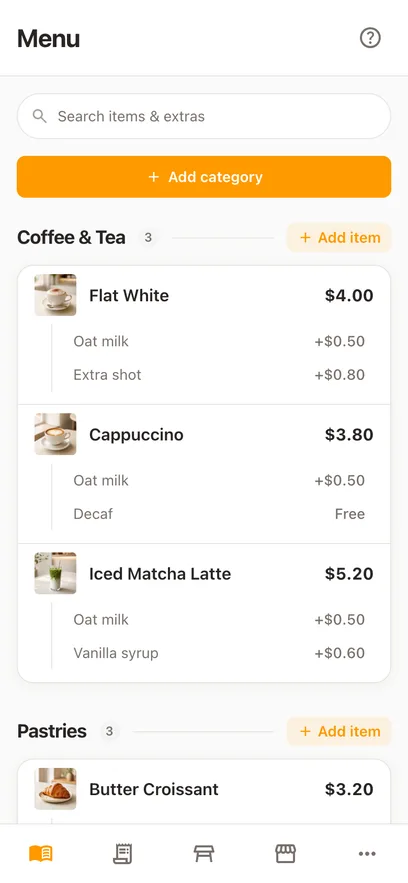
The same menu, laid out for one thumb during a rush. A waiter takes the order at the table and sends it from where they are standing — no walk back to a terminal.
-
The computer in the office
The same address in a desktop browser, with the room drawn as a map. Useful for the person who wants the floor and the numbers on a bigger screen.
-
The devices you have already
Whatever your staff carry now is very likely enough. There is no minimum spend, no vendor tablet, and no dock that only fits one model of anything.
-
As many as you like
Six phones and two tablets cost the same as one phone, because Platevio is free and there is no per-station licence to add up.
-
Every device sees one service
A change made on any of them reaches all of them. Two waiters, a counter tablet and a kitchen screen are reading one live service, not four copies of it.
What the hardware would have cost
Software is the number vendors advertise; hardware is the number that decides whether a small restaurant can switch at all. A single till position — terminal, printer, drawer — is a four-figure decision before a single order is taken, and the handhelds that make a floor fast are usually sold per waiter. The figures below are what the category charges for the equipment, per device, against what the same position costs when the device is one you already own. Software, processing and the rest of the stack are the flagship’s table, not this page’s.
| Bought from a POS vendor | On Platevio | |
|---|---|---|
| Counter terminal | $700 – $2,000 each | The iPad or tablet you already have |
| Waiter handheld | $400 – $1,200 per waiter | The phone already in their pocket |
| Kitchen screen | $500 – $1,500 each | Any spare tablet, or the screen you have |
| Adding a station later | Another device, often another licence | Open the address on one more device |
Ranges are what the category charges for equipment and vary by vendor, market and how much of a room you fit out. They are here to size the decision, not to quote you.
One service, on the devices you already have
The same loop the flagship describes, told by which device is in whose hand.
-
11:52
A phone takes the order at the table
The waiter taps the items, adds the extras, types the note about the nut allergy and sends it — standing at the table, on the phone from their own pocket.
-
11:52
The kitchen screen already has it
A spare tablet at the pass shows the items with their extras and notes attached. Nothing was printed, carried or shouted.
-
12:14
The counter iPad shows the same room
Whoever is on the till sees the same tables, the same orders and the same state as the waiter with the phone. One service, several windows onto it.
-
12:41
The bill is settled where the table is
Split it however they want to split it, take it on the card machine or in cash, and mark it paid on whichever device is nearest.
Questions people ask before switching to a browser POS
- Can I run a restaurant POS on an iPad?
- Yes — an iPad is one of the best devices for it. Platevio opens in Safari or Chrome on the iPad you already own, with the full menu, extras, notes and table map. There is no iPad you have to buy from us.
- Does it work on Android tablets and phones?
- Yes. Platevio is a web address, so an Android tablet, an Android phone, an iPhone, an iPad and a laptop all run the same POS. Mixing them is normal — a counter tablet and six staff phones of whatever make is a completely ordinary setup.
- Do I have to install anything?
- No. You open a web address and sign in, or install the app if you would rather. New devices join the same way, and new versions arrive on their own, so no station is ever running an old build.
- What happens if the internet goes down?
- Platevio needs a connection to move orders between the floor and the kitchen, so a drop interrupts service until it comes back. We keep pages small so they load on weak venue wifi, but if your connection is genuinely unreliable you should factor that in before switching.
- How many devices can I use?
- As many as you want. There is no per-station licence and no per-device fee, so a second tablet or a fifth waiter’s phone costs nothing to add.
- Is a cloud POS safe if a device is lost or broken?
- Your menu, orders and sales are on the server, not on the device. A dropped phone costs you the phone: pick up another one, open the address, and the service is exactly where it was.
- What does it cost?
- Platevio is free — no plan, no per-station fee and no card required to start. Because it runs on devices you already own, the usual hardware bill for terminals and handhelds does not arrive either.
Open your restaurant tonight
It takes a minute: your restaurant, your first menu, and you are taking orders.