A kitchen display system that runs on a tablet you already own
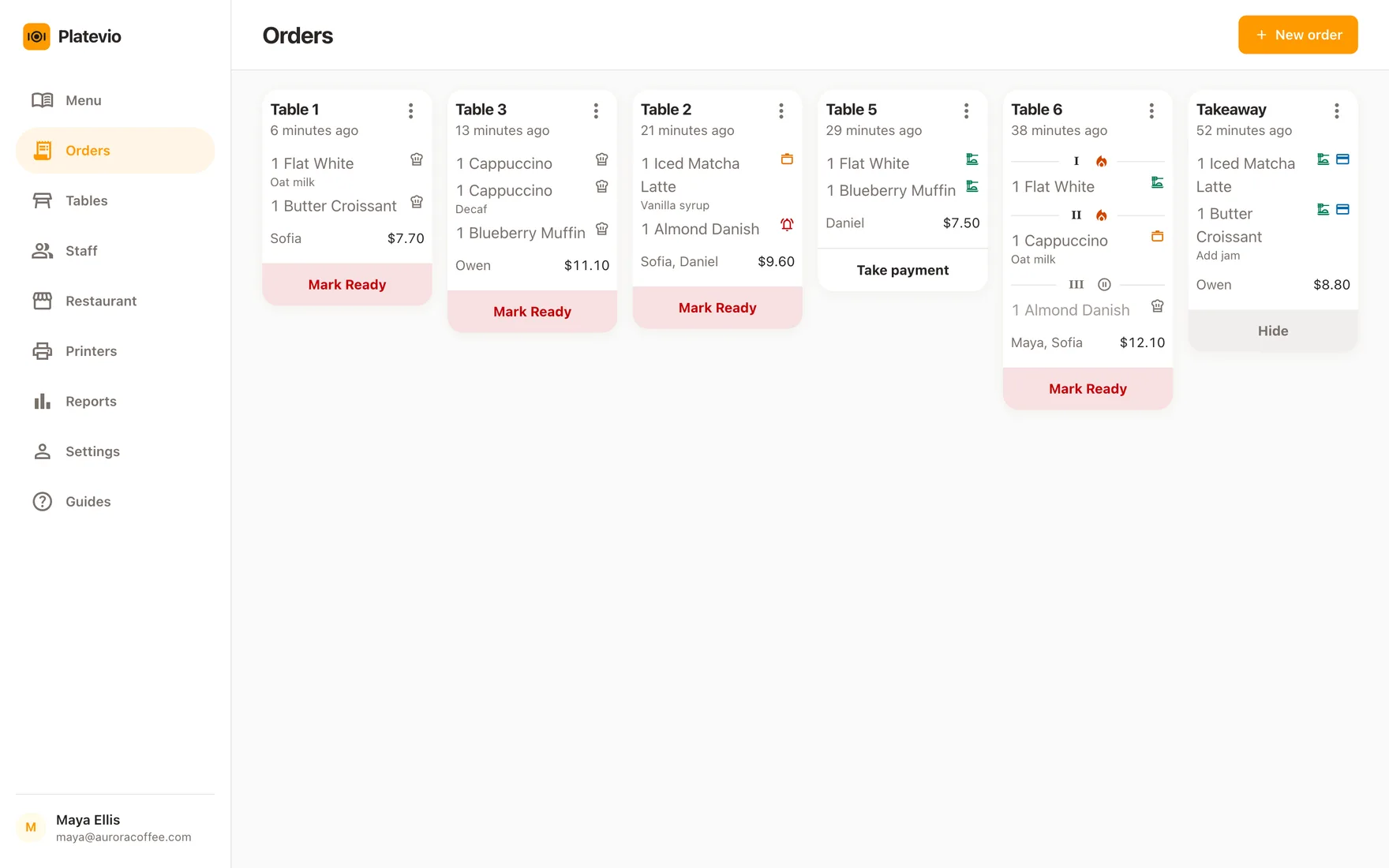
Platevio puts every open check on one board — the dish, the extras, the note, how long ago it was ordered and what stage it has reached. Open it on a tablet by the pass and each new check arrives on it without anybody touching the screen — no second app, no monthly fee per screen, and paper too if the pass wants it.
What a kitchen display system is
A kitchen display system — KDS, which is how most people type it, and a kitchen order display system when a vendor spells it out — is a screen in the kitchen that carries the orders the floor has taken, in place of a printed ticket rail. The trade calls the screen itself a kitchen display monitor and the whole arrangement a kitchen monitor system; they are the same idea under four names. The order is entered once, on the floor, and the kitchen reads it off a display instead of off a slip of paper. Nothing about that is exotic any more: a kitchen screen is now standard equipment in quick service and common everywhere else. What still varies enormously is what it costs, how many screens it assumes you want, and how much of it is a separate product you are being sold on top of the till.
-
The board
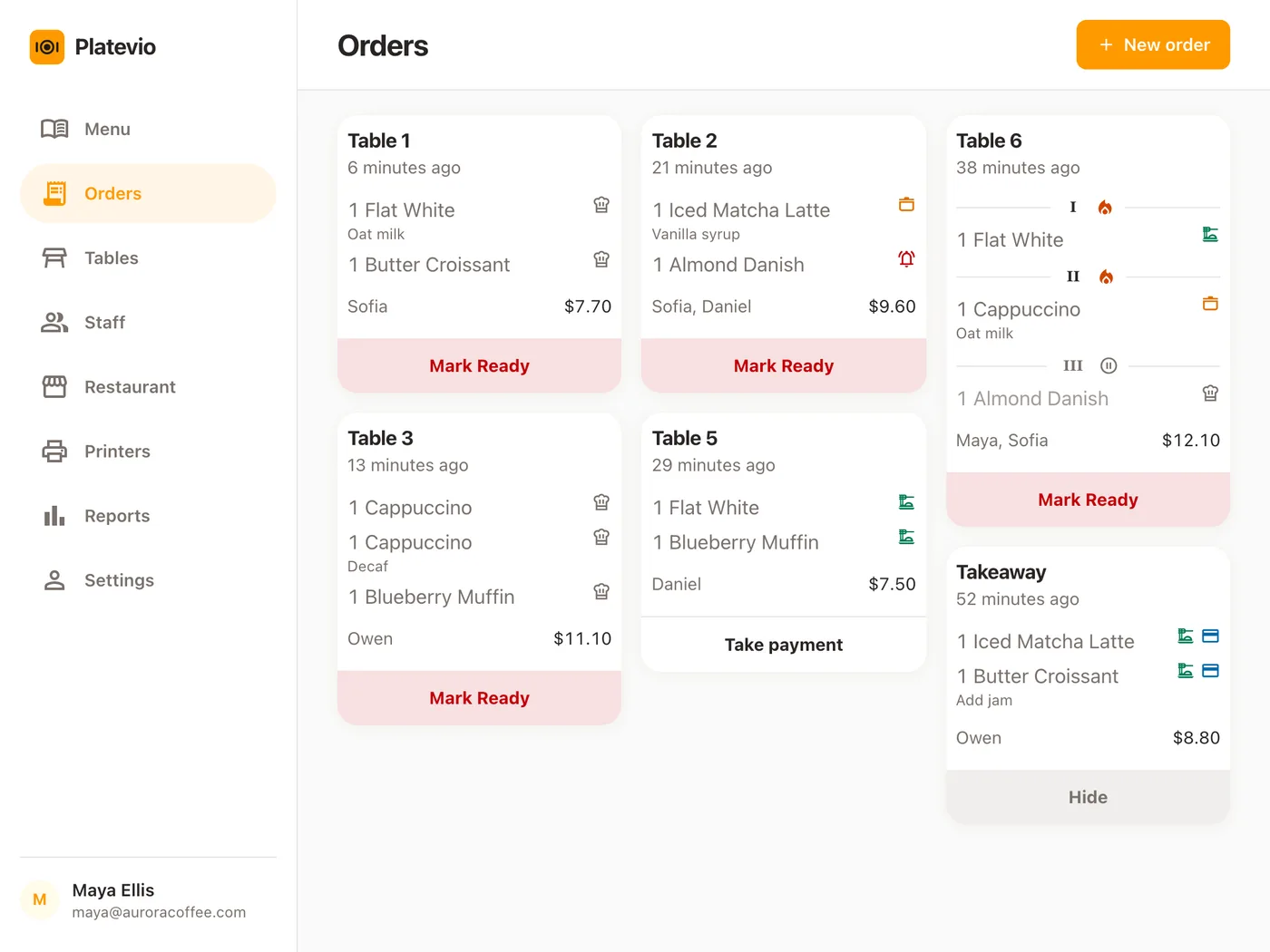
One screen holding every check that is still open. A cook reads down it the way they used to read down a rail — what is on, what is waiting, and how long it has been waiting.
-
The ticket
One check, with its dishes, the changes the guest asked for, any note attached to a dish, and where it is sitting. What the floor entered is what the kitchen reads; nobody re-types it and nobody deciphers it.
-
The stages
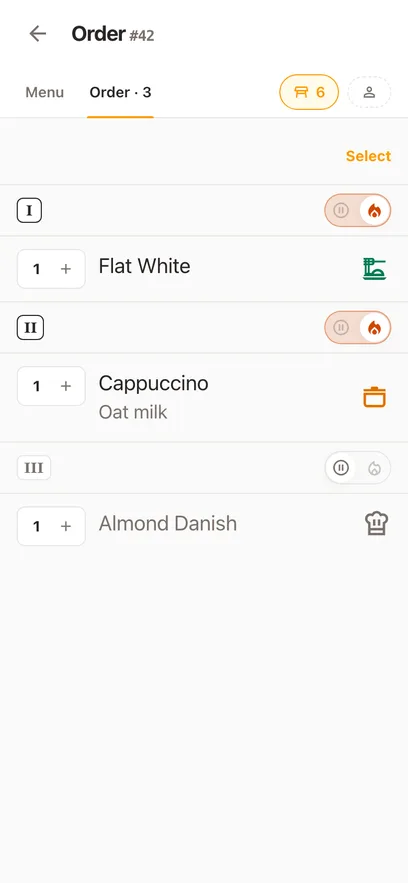
A dish is ordered, then being made, then ready, then away. A KDS is mostly a way of marking those transitions so the two ends of the kitchen door agree about which dishes are still coming.
-
The till behind it
A KDS displays what something else captured. On its own it is an empty screen — which is why it is nearly always sold as an add-on to a point of sale, priced per screen, per month.
A screen, the printed ticket, or both
The argument for a kitchen screen is old and mostly correct. A printed ticket is one physical object, and every failure it has is a failure of a physical object: it jams, it curls, it goes under a board, it comes out with the modifier on the wrong line, and it cannot be corrected once it is out. A screen has none of those failures and adds one of its own — it needs power and a network for the whole service, and a kitchen with neither is better off with paper. Platevio does both from the same order, so which one the pass runs on is your decision rather than the software’s. Here is the honest version of that trade.
-
Nothing to jam, curl or run out
No roll to change mid-service and no ticket that never came out because a cable worked loose during the rush. If you print as well, the board is still there when the printer runs out of paper halfway through a service.
-
The change stays attached to the dish
No milk, no onions, allergy, sauce on the side — each one is data on that one dish rather than a line squeezed under it in 8pt. It reaches the pass attached to the thing it is about.
-
A mistake can be taken back
A dish marked ready too early goes back down a rung, and a dish cancelled by mis-tap can be put back on. Paper has no way to undo anything: once it is torn off, the correction is a shout.
-
Paper as well, if the pass wants it
Platevio prints to thermal printers over WiFi, Ethernet, USB and Bluetooth — ESC/POS and Star Micronics. The board and the printer read the same order, so a kitchen can run on the screen, on paper, or on both, and nothing has to be settled once and for all on the day you sign up.
One order across the pass
A Friday at four minutes past seven, one table of three, from the moment the order is taken to the moment the check leaves the board.
-
19:04
The floor takes it
Three dishes on table 6, one of them with onions taken out and a note about the allergy, all entered on a phone at the table and sent in one go.
-
19:05
The pass reads the board
The check arrives on the board with nobody in the kitchen having touched anything: a ticket card carrying the table, the short number, how long ago it opened, and every dish sitting at ordered — with the change and the note on the dishes they belong to.
-
19:12
The pass moves it, dish by dish
The starter goes to ready on its own while the two mains are still being made, so the runner can see what to take out without asking across the pass.
-
19:21
The ticket leaves the board
The last dish goes out, the check is settled, and one more tap hides it. The board holds open checks only, so what is left on screen is what is still owed to somebody.
What the Platevio board does
Six things, and every one of them is on the screen today rather than on a roadmap.
-
Every open check on one board, as the floor sends it
Tickets pack the screen as cards — order type, table, short number, how long ago the check opened, the total, and every line on it. A new check arrives without anybody touching the screen, and so does a dish another device just marked. A check that is settled and hidden leaves; the board holds what is still open and nothing else.
-
Extras and notes reach the pass
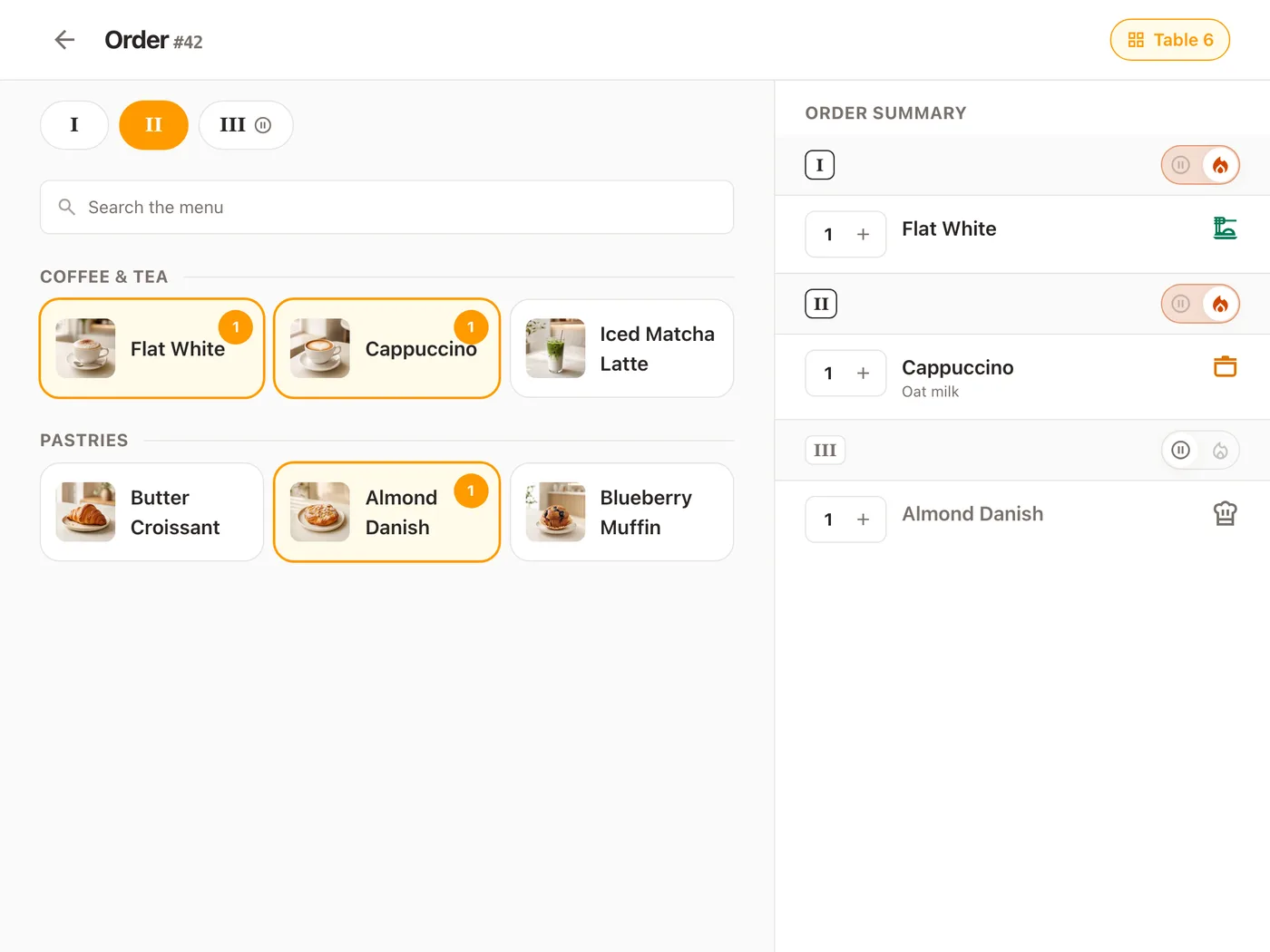
What the guest asked for is captured on the individual dish — the extras chosen on it, and a free-text note for anything too unusual to be an option. Both are still attached to that dish when the kitchen reads it.
-
The ladder goes both ways
A dish marked ready that is not ready walks back down. A dish cancelled by mistake can be put back on the ladder. Kitchens correct themselves constantly, and software that only moves forwards makes every correction a conversation.
-
One tap moves the whole ticket
The bar at the foot of each card moves every line that is behind, one rung at a time, and never skips a rung — a ticket with one dish still in the pan reads "Mark Ready" and takes a second tap to finish. The tap lands on screen before the server has answered, so clearing a pass is not six waits.
-
The kitchen gets its own login
Invite a cook by email and they sign in as themselves, on their own device, with the Cook role. No shared password taped to the wall, and no PIN everybody knows.
-
The same order on paper, when the kitchen wants it
Platevio prints to thermal printers over WiFi, Ethernet, USB and Bluetooth — ESC/POS and Star Micronics. The board and the printer are fed by the same check, so a pass can watch the screen, tear a ticket, or do both without anything being entered twice.
Every dish on its own status
Ordered, being made, ready, served — per dish, not per ticket. Three of the four on a table can be away while the fourth is still in the pan, and the board says so at a glance rather than by arithmetic.
What a kitchen screen usually costs
Most of the market prices a KDS per screen, per month, on top of whatever the point of sale already costs — which is the detail that decides whether a second screen ever gets bought. Some vendors bundle the screen into the till instead, where it is free inside a subscription you are still paying. Then the display itself, which is where the range widens: a repurposed tablet at one end, a sealed commercial unit at the other, and in between a piece of vendor hardware that is worth nothing on the day you change point of sale. Here is the going rate beside ours.
| Typical KDS | Platevio | |
|---|---|---|
| KDS software, per screen, per month | $20–$40 | $0 |
| A second screen | The same figure again, monthly | $0 |
| The display itself | $150–$1,500 | A tablet, phone or laptop you already own |
| The point of sale underneath it | A subscription, usually per terminal | $0 — no per-terminal charge |
The going rates are published vendor pricing read in September 2026 — Toast lists $25 per screen per month on top of its subscription, Clover $25 per device, and the rest of the category sits in the $20–$40 band. Hardware is the wider number: entry-level displays start near $150 and commercial-grade ones reach $1,500, and proprietary displays do not resell when you change point of sale. Platevio charges nothing for the software, takes no percentage of your sales, and does not price its board per screen — open it on as many devices as you have.
How to choose a kitchen display system
Most of these questions are about the bill rather than the screen, because the screen demos well everywhere and the bill does not. Take the list to whoever you are comparing, and ask them to answer it about a second screen rather than a first. The best kitchen display system for a restaurant is the one your cooks will actually touch mid-service, and the cheapest of those to put on the screen after this one.
- Is the screen included, or billed per screen per month on top of the point of sale?
- Does the display resell if you change point of sale, or is it the vendor’s own hardware?
- Does the board update while nobody is touching it, and what does it do about the checks it missed while the network was down?
- What happens to the kitchen when the internet drops mid-service?
- Can a cook who started this morning read the busiest ticket on it without help?
Kitchen display questions
- What is a kitchen display system (KDS)?
- A kitchen display system is a screen in the kitchen that shows the orders the floor has taken, in place of printed tickets. It holds each check, the dishes on it, the changes the guest asked for and the stage each dish has reached, so the floor and the kitchen agree about what is still coming. It displays what a point of sale captured, which is why it is almost always sold as an add-on to one.
- Does Platevio have a kitchen display system?
- Yes. Its board is what a kitchen watches: every open check as a ticket card, each dish carrying its extras, its note and its own status, with one tap moving a whole ticket along.
- Is Platevio’s kitchen display free?
- Yes. Platevio is free to use and the board is not a separate product: there is no per-screen charge, no per-device licence, no plan you have to be on to see it, and no trial that expires. Open it on as many tablets, phones or laptops as your kitchen has. We are building it with the venues using it, and when we do charge it will be for the software rather than by the screen.
- Is there a restaurant POS system with a kitchen display included?
- Platevio is one. The board is not a second product priced beside the till — it is the same orders, opened on whatever screen the kitchen has, so there is no separate kitchen POS system to license and nothing charged per screen.
- What hardware do I need for a kitchen display?
- A tablet, phone or laptop with a current browser, a way to stand it up out of the splash, and a connection. That is the whole list. Nothing has to be bought from us and nothing pairs — the board is a screen in the same browser or app the order was taken in.
- Does the kitchen screen update on its own?
- Yes. A check the floor sends arrives on the board without anybody touching the screen, and so does a dish another device marks or a check that is settled and leaves. A tablet propped by the pass keeps up on its own. Two honest edges. It needs the connection, and a device that was offline through a change hears about it from nowhere else — so when the connection comes back Platevio re-reads the board rather than trusting what it was holding. And the screen a waiter is building an order on is deliberately left still under their finger, which is a floor concern rather than a kitchen one.
- Do I still need a kitchen printer?
- Only if you want one. Platevio prints kitchen tickets and receipts to thermal printers over WiFi, Ethernet, USB and Bluetooth, ESC/POS and Star Micronics alike, so the board can sit beside a rail rather than in place of one. A kitchen that wants paper keeps it; a kitchen that does not can stop buying rolls.
- How much does a kitchen display system cost?
- Elsewhere, about $20–$40 per screen per month for the software, plus $150–$1,500 for each display, plus a bump bar if you want one, all on top of the point of sale subscription underneath it — and a second screen doubles the monthly line. Platevio charges nothing for the board and nothing per screen, and it runs on hardware you already own.
Open your restaurant tonight
It takes a minute: your restaurant, your first menu, and you are taking orders.