Free. No card, no plan.
Restaurant staff management with a login for everyone, free
Invite the whole team by email. Each person signs in on their own phone with a Role that fits the job, and their name goes on every order they take. The app is free, and there is no charge per user, per seat or per device — the tenth person costs what the first one did.
No card needed. Runs in the browser or the app.
What restaurant staff management is
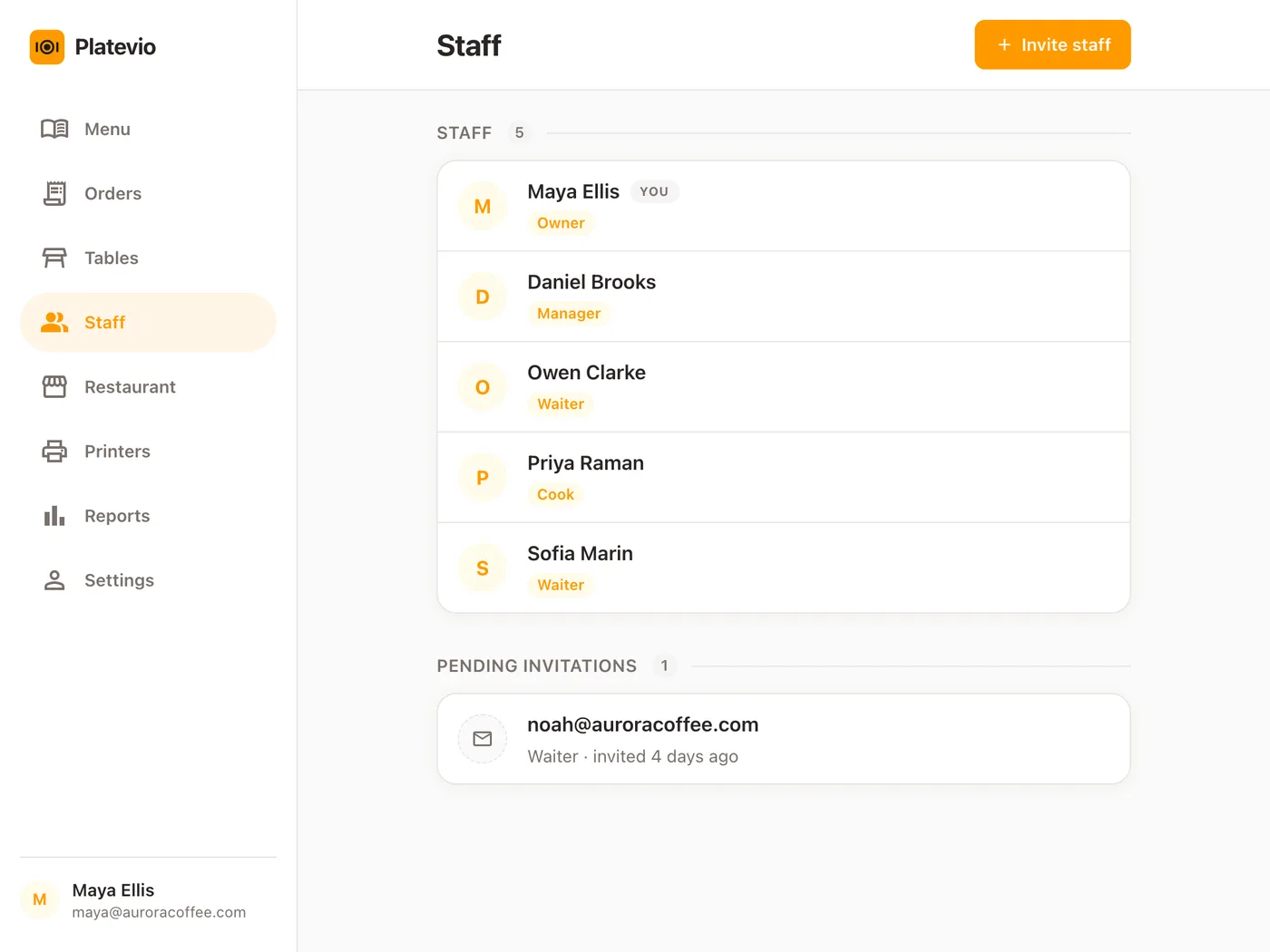
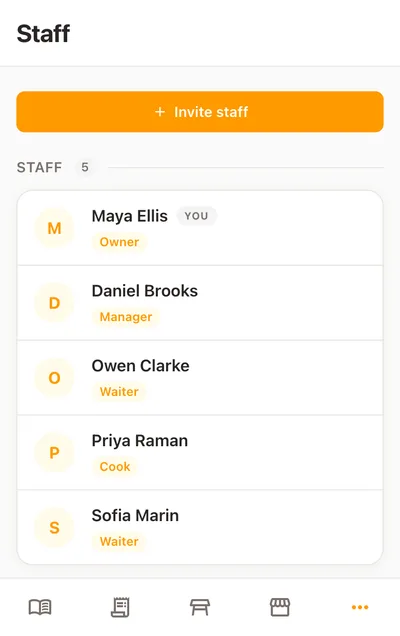
Restaurant staff management is how an owner organizes the people who run a service — who is working, what each is responsible for, and who answers for what happened. Part of it lives in the till: who can sign in, what each person can reach, and whose name is on each check.
-
A login each
Every person signs in as themselves, so what happens in the system traces to a person rather than to “the counter”.
-
A Role for the job
The positions in a restaurant reach different parts of the system: a waiter takes orders, a manager also runs the menu, an owner also sees the books.
-
A name on the work
Every order carries who opened it and who added to it, so a question about a check goes to the right person.
One shared login, or a login each
Most small rooms share one login, because every extra person is usually an extra line on the bill. It works until the first question nobody can answer.
-
Who took it
On a shared login every check belongs to the counter. With a login each, the order card, the report and the kitchen ticket say who opened it.
-
Who can change the menu
On a shared login everyone can do everything the login can, including reprice a dish. With a login each, the floor takes orders and only a manager or above changes the menu.
-
When someone leaves
A shared password has to be changed and re-taught to everyone. With a login each, you remove one person and their phone is signed out.
A new cook’s first day
A cook invited before opening is working the pass by lunch.
-
09:40
The invitation goes out
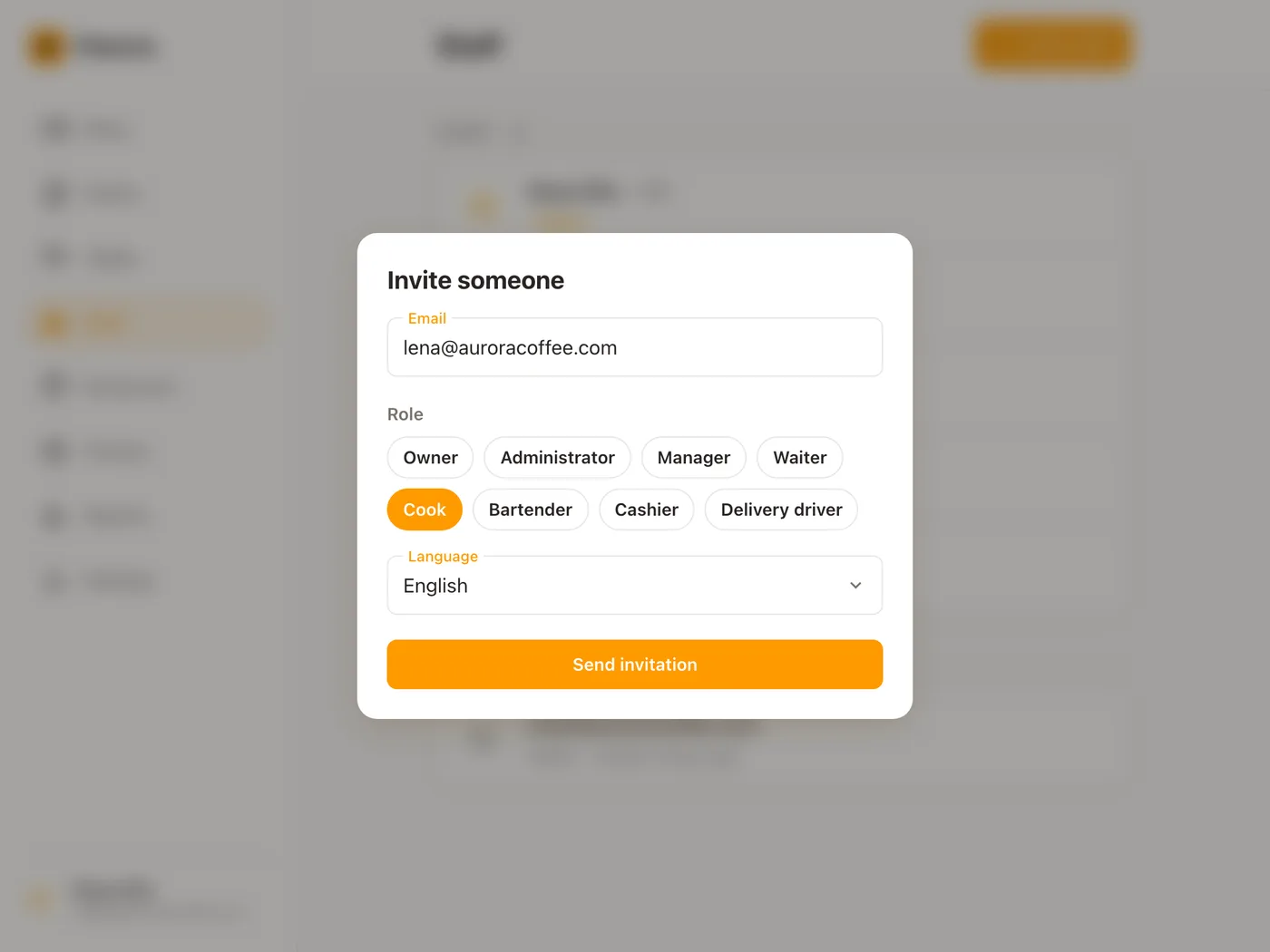
Maya, the owner, taps Invite staff, types lena@auroracoffee.com, picks Cook and sets the language of the email. One tap on Send invitation, and Lena is under Pending invitations.
-
09:52
Lena signs in on her own phone
She taps Accept invitation, sets her name and a password, and she is in: Menu, Orders, Tables and Staff on the phone in her pocket. Nothing installed, no device handed over.
-
12:15
Lunch reaches the pass
Orders arrive on Lena’s board as the floor sends them, and the kitchen ticket for table 4 reads “Waiter Sofia Marin” — the person who opened the check, stamped from her login.
-
23:10
The close
Maya taps Manager on Sofia’s page, and Sofia’s phone, already signed in, gains the Restaurant tab on the spot. Then she removes Owen, a seasonal hire, in two taps: his phone is signed out, and the orders he took still carry his name.
What Platevio’s Staff page does
Six things, all on the screen today.
-
Invite everyone, free
Send an invitation by email to as many people as you employ, in any of 26 languages. Nobody costs extra, and someone who already has a Platevio account is added the moment you send it.
-
Their own login, on their own phone
Each person signs in with their own email and password, in the browser of the phone, tablet or laptop they already have — on more than one at once, if they like.
-
A Role that fits the job
Eight Roles — Owner, Administrator, Manager, Waiter, Cook, Bartender, Cashier and Delivery driver. Everyone takes orders and reads the menu, the tables and the Orders board. Managers and above also change the menu, the floor plan and the printers. Owners and administrators also open Reports and can delete an order. Someone who does two jobs holds two Roles.
-
Their name on every order
Platevio records who opened each check and who added to it, from the login rather than anything typed. The names are on the order card, the order report and the printed kitchen ticket, and stay there after that person has moved on.
-
Role changes land straight away
Give or take a Role and the phone that person is holding changes with it, without a sign-out. Removing someone takes two taps and ends their access on every device at once; their account and any other restaurant they work at are untouched.
-
Nobody hands out more than they hold
A manager invites and assigns the floor; an administrator or an owner makes an administrator; only an owner makes an owner. The floor sees who they work with and changes nothing.
Adding a person is one email
The invitation has three things on it — the address, the Role they start with, and the language of the email — and a Send button. No seat to buy, no device to register, no plan to move up to. A new member of staff is an email and a Role away from their own login, on their own phone, at no charge per seat.
What adding people usually costs
Most of the market prices what grows with your team: a fee per user past a plan’s limit, a licence per device, an access-rights add-on per location. Platevio prices none of them.
| Typical POS | Platevio | |
|---|---|---|
| A login for one more person | Free to a plan limit, then $6–$9 per person a month | $0, no limit |
| Another device to work on | $50–$69 per device, per month | $0 — their own phone |
| Roles and access control | An add-on, around $25 per location, per month | $0 — included |
| The tenth member of staff | Another seat or device, monthly | $0 |
Going rates are published pricing across the category, read in September 2026. Platevio charges nothing for the software, takes no percentage of your sales, and prices nothing by the person, seat or device.
Questions to ask any POS about your staff
Ask about the tenth person, not the first.
- Is there a fee per user, per device or per location for staff?
- Can staff work from their own phones?
- Does each person get their own login?
- When you remove someone, are they signed out on every device at once?
- Is the name of whoever took the order on the kitchen ticket?
Staff management questions
- What is restaurant staff management?
- Organizing the people who run a restaurant: who is working, what each is responsible for, and who answers for what happened. In the till it comes down to a login each, a Role that decides what they reach, and a name on every order.
- Should every staff member have their own login?
- Yes. It is the only way a check or a price change traces to a person rather than to the counter. In Platevio a login each costs nothing, so there is no reason to share one.
- How do I add an employee to Platevio?
- Open Staff, tap Invite staff, type their email, pick a Role and send it. They tap Accept invitation on their own phone, set a name and a password, and they are in.
- Is there a limit to how many staff I can add, or a fee per user?
- No limit and no fee — not per user, per seat, per device or per location. Platevio is free.
- What roles can I give, and what can each one do?
- Owner, Administrator, Manager, Waiter, Cook, Bartender, Cashier and Delivery driver. Everyone takes orders and reads the menu. Managers and above also change the menu, the floor plan and the printers. Owners and administrators also open Reports. One person can hold several.
- Can staff use their own phones?
- Yes. Platevio runs in the browser of any phone, tablet or laptop, and in the app, so each person signs in on the phone they carry. No hardware to buy.
- How do I remove an employee?
- Open their page on Staff, tap the bin and confirm. Their access ends on every device at once. The orders they took keep their name; they keep their account.
Open your restaurant tonight
It takes a minute: your restaurant, your first menu, and you are taking orders.