Free. No card, no plan.
Kitchen printer and receipt printing, on the printer you already own
Send an order and the ticket prints in the kitchen with only the kitchen’s dishes on it; the bar printer gets the drinks. Platevio drives the thermal printer already behind your counter — WiFi, Ethernet, USB or Bluetooth, ESC/POS or Star Micronics — and prints the guest’s receipt from the same one. It is free, with nothing charged per printer, per screen or per user.
No card needed. Runs in the browser or the app.
What a kitchen printer is
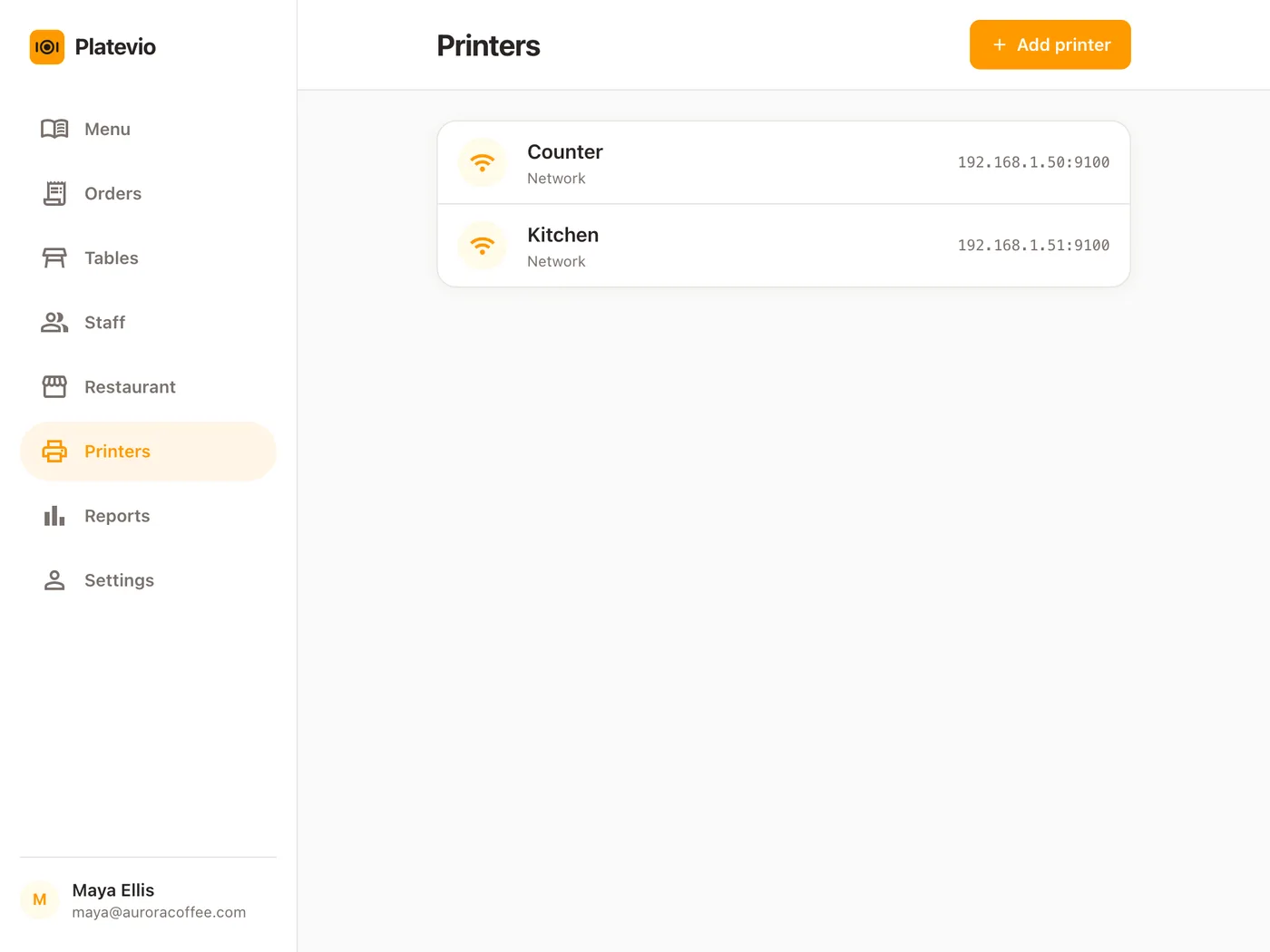
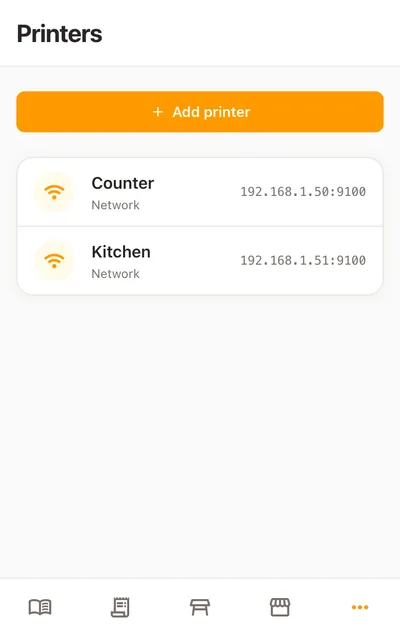
A kitchen printer is the printer beside the line that turns each order into a paper ticket the cooks work from — a kitchen ticket, a chit, a docket or a kitchen order ticket (KOT). The machine is usually the same kind as the receipt printer at the counter: a thermal printer on 80 mm or 58 mm paper, speaking ESC/POS or Star Micronics. What makes it a kitchen printer is what the point of sale sends it. The printer is hardware anybody sells; the software deciding which dishes reach which printer is what a kitchen lives with.
-
The kitchen ticket
Where the food goes, when it was sent, who took it, and each dish with the changes the guest asked for. No prices: it is not a bill.
-
The receipt
The guest’s paper: the restaurant’s name, address and phone, the table, each line with its amount, and the total.
-
The printer language
Printers take commands in a dialect. ESC/POS is built into most makes; Star Micronics printers speak their own. This decides whether a point of sale can drive a printer.
-
The connection
How the order reaches the machine: the network over WiFi or Ethernet, a USB cable into the device beside it, or Bluetooth.
A ticket, a kitchen screen, or both
The paper ticket sits on the rail, survives a wet hand, and nobody has to be taught to read it. A screen at the pass carries the same order the other way. Platevio feeds both from the same Send, so which one a kitchen works from is the kitchen’s decision.
-
Paper at the pass
The ticket the line has always used, printed the moment the order is sent, with each dish, its extras and its note.
-
The kitchen board
The same order on a tablet, every dish carrying its own status from ordered to ready. The kitchen display system page has the whole of it.
-
Both, from one Send
One tap on the floor prints the ticket and puts the check on the board, and every device in the building hears about it at once.
One order, two printers
A café at twelve minutes past eight, one table of two. The kitchen printer has the food categories; the counter printer has the coffee.
-
08:12
Sent from the floor
Table 4 orders two flat whites, a croissant and an avocado toast with “no chilli” typed on it. The waiter builds it on their own phone and taps Send. Nobody presses Print.
-
08:12
The kitchen ticket
The same moment, the kitchen printer prints Table 4, the time, the waiter’s name, then the croissant and the toast with its note. The flat whites are not on this paper.
-
08:12
The counter ticket
The counter printer prints the two flat whites and only those. Each printer was given its own categories, so one Send made two tickets in two places.
-
08:26
Another round
Table 4 adds a slice of cake. A new ticket prints with the cake alone, never the whole order again; on a coursed order each dish prints under its course heading.
-
08:41
The receipt
The table asks for the bill and the counter printer prints the receipt: the café’s name, address and phone, the table, every line, and the total.
What Platevio’s printing does
Eight things, each of them on the printer form or on the paper today.
-
Prints on Send
A ticket for every new order and every round added to it, the moment the server accepts the Send — no Print button on the floor. Print ticket on the order’s menu prints every dish still owed when the kitchen wants one again.
-
Each printer, its own categories
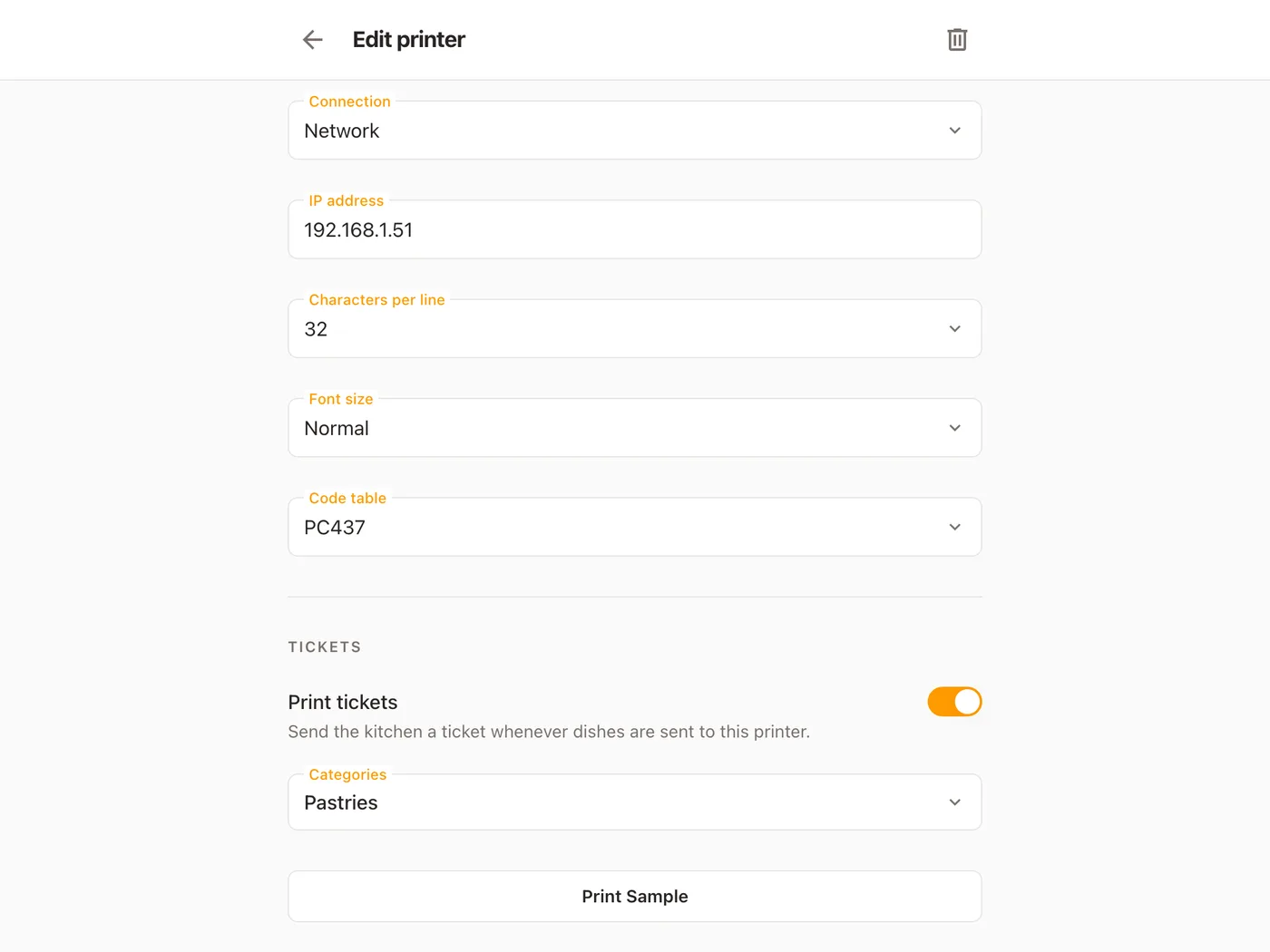
Turn on Print tickets for a printer and pick its categories: pastries to the kitchen, coffee to the counter, drinks to the bar. Several at once, or All categories in one tap.
-
Only what is new
A ticket carries the dishes that Send added, never the whole order again. A dish cancelled before it went never reaches the paper.
-
A ticket the kitchen can read
The table’s name as it is on the floor plan, the time it was sent, the waiter who opened the table, then each dish with its quantity, its extras marked + and its note marked *, grouped by course — in the language of the device beside the printer.
-
Every connection a restaurant uses
A network printer on WiFi or Ethernet is reached by its IP address, typed once. A USB printer prints from the device its cable is plugged into, and each device says which one is its own. A Bluetooth printer prints from the device it is paired with.
-
ESC/POS and Star Micronics
Pick the language printed on your machine and the paper on the roll — 58 mm or 80 mm, in normal or smaller text — then a font size from Normal to Double height. The two languages cover nearly every thermal printer sold to a restaurant.
-
Receipts from the same printers
The guest’s receipt carries your restaurant’s name, address and phone from the Restaurant page, the table, each line with its amount, and the total, laid out to the width of the roll.
-
Test it in one tap, and hear about it by name
Print Sample, at the foot of the printer form, sends a sample receipt before you have even saved. When a ticket does not come out, the screen says which one and where — “Table 4: the ticket didn’t print on Kitchen” — with the likely fix beside it.
Tell each printer what it prints
This is the kitchen printer’s whole setup: a name, the language it speaks, how it is connected and where, the width of its roll, and one switch — Print tickets — with the categories it should get. Here it is Pastries, so the coffee stays at the counter where it is made. In a restaurant the same list sends starters and mains to the kitchen and drinks to the bar. Print Sample at the bottom prints a receipt right there, so you know the printer is reached before the first order.
Will my printer work with Platevio?
Most restaurant thermal printers already do, and there is nothing to buy from us. What matters is the language it speaks, the way it connects and the roll it takes — all three are on the label, the box or the first page of the manual. Three yeses and it prints tickets and receipts here.
- Does the label or the manual say ESC/POS or Star Micronics?
- Does it connect by network (WiFi or Ethernet), by USB or by Bluetooth?
- Does it take 80 mm or 58 mm paper?
Kitchen printer questions
- What is a kitchen printer?
- The printer by the line that turns each order the floor sends into a paper ticket for the cooks — a kitchen ticket, chit or docket. It is usually the same kind of thermal printer as the one at the counter; the point of sale sending it the kitchen’s dishes is what makes it a kitchen printer.
- Which printers work with Platevio?
- Printers that speak ESC/POS or Star Micronics, connected by WiFi or Ethernet, USB or Bluetooth, on 80 mm or 58 mm paper. That is most thermal printers sold to restaurants, including the one probably already behind your counter.
- Can I send food to the kitchen printer and drinks to the bar printer?
- Yes. Open each printer, turn on Print tickets and pick its categories — mains and starters for the kitchen, drinks for the bar. Every Send then prints each printer’s share of it: two tickets in two rooms from one tap.
- Can I use a receipt printer as a kitchen printer?
- Yes. They are the same kind of machine, and in Platevio any printer prints kitchen tickets once Print tickets is turned on for it. A small counter can run tickets and receipts on one printer and add a second in the kitchen later.
- Is Ethernet or WiFi better for a kitchen printer?
- Both work, and Platevio treats them as one connection: a network printer is reached by its IP address either way. A cable is the steadier choice beside a hot line; WiFi saves running one across the kitchen.
- How do I find my kitchen printer’s IP address?
- Most thermal printers print a settings slip when switched on with the feed button held down — the manual says which button — and the IP address is on it. Type it into the printer’s form, choose Network, and press Print Sample.
- Do I need a kitchen printer if I have a kitchen screen?
- Only if you want one. Every Send reaches the kitchen board and the printer from the same order, so a kitchen can work from the screen, from paper, or from both. Nothing is entered twice.
- Does Platevio charge for printers?
- No. Platevio is free, with nothing charged per printer, per screen, per handheld or per user, and it sells no hardware — the printer is one you already own or buy anywhere you like. Add as many as your kitchen, bar and counter need.
Open your restaurant tonight
It takes a minute: your restaurant, your first menu, and you are taking orders.