A bar POS system that keeps every round together
Open the order with the first round, add to it all night, and split it at the end by the drinks each person is actually paying for. Platevio is a bar point of sale system that runs in a browser on the phones and tablets already behind your bar — no terminal to buy, and no card processor to sign with.
What a bar POS has to do that a restaurant POS does not
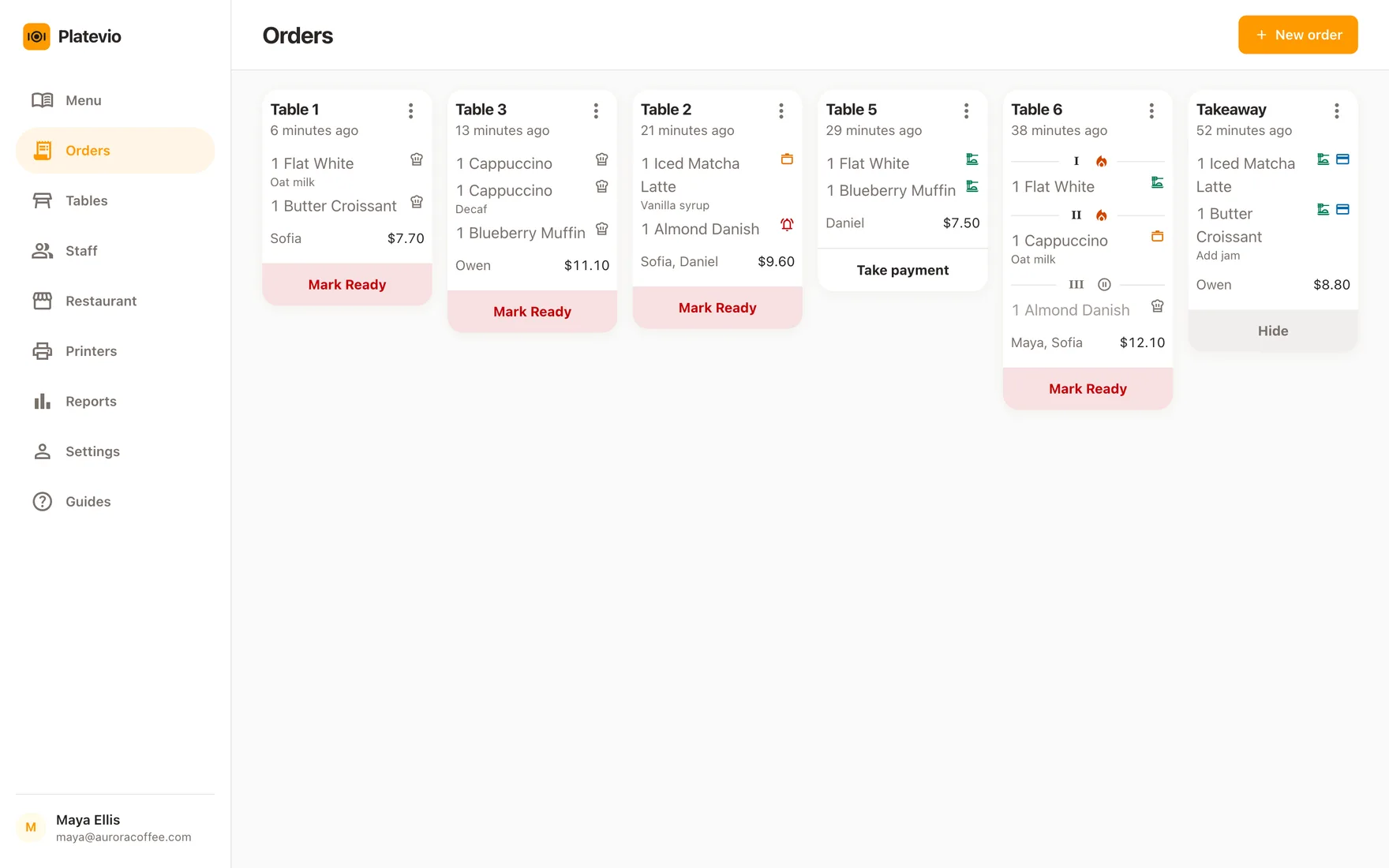
A bar sells to a transaction that refuses to happen once. One person opens a check, three of them add to it over four hours, food goes to the kitchen while drinks come off the bar, somebody leaves at eleven having drunk two of the nine things on it, and what is left gets split at last call. A restaurant check does grow through a service, but it grows around a seated party that arrived together and leaves together. A bar check grows around a group whose membership changes, in rounds nobody wrote down, at prices that may have changed at eight o’clock. That is the thing the software has to survive: not the speed of the first drink, but the accuracy of the ninth, two hours after anyone could still remember who ordered it. Most of these rooms are a bar and a restaurant at once, a kitchen sending plates to a group whose drinks come off the bar, so the point of sale has to hold both halves of that on one order rather than run a ticket for each.
Opening the check is easy. Closing it is the problem.
Nothing goes wrong at 21:40. It goes wrong at closing, when the check is one number and no bartender can say what is inside it — which of the three gin and tonics was a double, whether the second round was before or after happy hour ended, and what the person who left at eleven still owes. Platevio never lets it become one number. Every drink is its own record, with the price it was sold at, the extras chosen on it and the note attached to it, and paying is a mark on that record rather than a subtraction from a total. So the check can always answer the question a bar actually asks at the end of a night: which of these has not been paid for, and what was each of them sold for?
What Platevio gives a bar or pub
Seven things, all of them about a check that stays open.
-
The next round joins the check that is already open
The order stays open while the table is still being served. Any bartender on shift goes back to it, adds what they asked for and sends it — the drinks already on it are not rebuilt, re-timed or re-priced, and nobody starts a second check for the same group.
-
Doubles, mixers and the note, on the drink itself
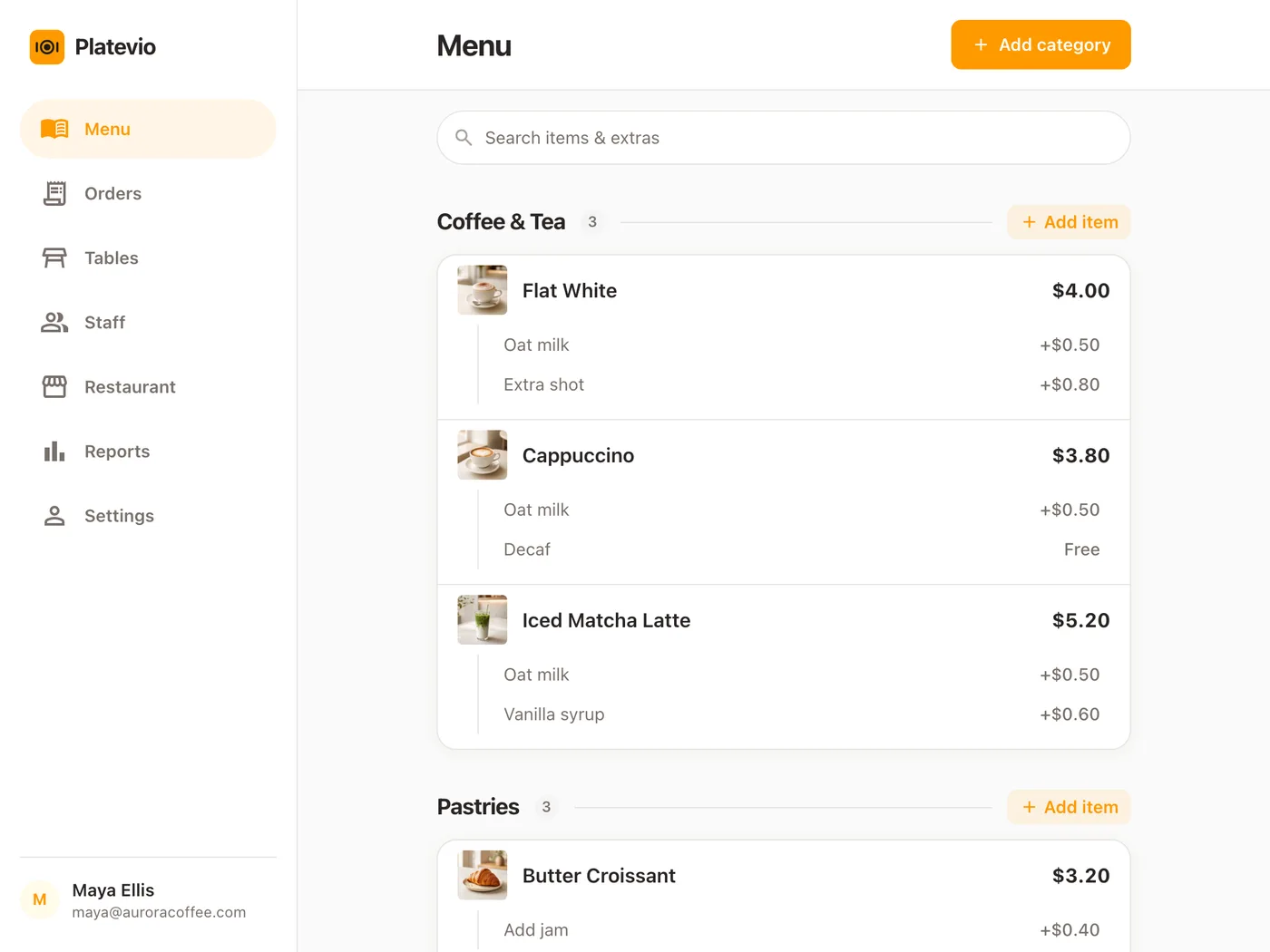
Set up the extras a drink can take — the double, the mixer, the call brand — and choose them on the individual glass as you take the order. A priced one adds itself to that glass, and "no ice" sits on the one drink it is about rather than on the whole round.
-
The price it was sold at, not tonight’s price
The name and price of an item, and of every extra on it, are copied onto the check at the moment it is ordered rather than read from the menu at the end. Change the price on the menu when happy hour ends and every drink already on an open check keeps what it was sold for — and goes on keeping it for a check that has been open since nine. The next round takes the new price.
-
Split the check by what each guest drank
Tick the exact drinks and plates one person is covering and record those as paid. The rest of the check stays open and unpaid, so what is still owed is the sum of what is actually left rather than four people doing arithmetic over a total.
-
Cash from one of them, a card from another
Each part of the check is settled under its own method — cash, card, cheque, meal voucher, or a method you named yourself. Platevio records how it was paid; the card itself goes through the reader you already have, so no percentage of it comes to us.
-
The check knows its table, or has none at all
Put the check on a table from your floor plan, or run it on no table at all for people standing at the bar. A table is a reference, not a copy, so correcting the floor plan renames it on the check already sitting there.
-
Receipts and bar tickets, on the printer you already have
Platevio prints to thermal printers over WiFi, Ethernet, USB and Bluetooth — ESC/POS and Star Micronics, which between them cover nearly every printer sold for a back bar. Keep the one you have and drive it from the phone or tablet the round was rung on: the kitchen gets its ticket and the table gets its bill.
One check, from the first round to last call
A Friday that starts at twenty to ten and finishes after midnight, on one open order.
-
21:40
The first round opens the check
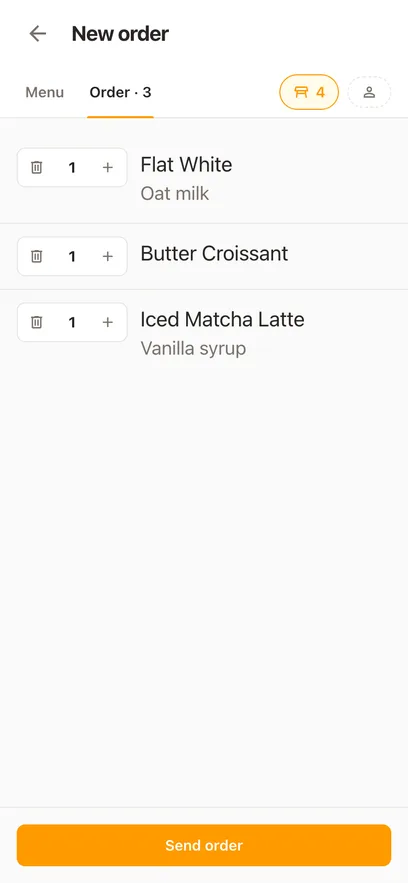
Two IPAs, a gin with tonic as an extra on it, and a burger with a note, on the table by the window. Sent, and it is on the board the bar and the kitchen are both reading.
-
22:15
The second round joins the same check
A different bartender opens the order that is already there, adds three more drinks and sends them. Nothing about the first round moves, and there is still one check for the table.
-
23:00
Happy hour ends and the prices go back up
Change the price on the menu at the changeover and it reaches every phone and tablet behind the bar at once. The drinks bought before eleven keep what they were sold for, and what is poured after eleven is charged at the new price.
-
23:20
One of them leaves early and pays for their own
Tick the two drinks they had, take the cash, and record it. Those two lines move to paid and the rest of the check stays open, unpaid and unchanged.
-
00:55
Last call, and the rest goes on one card
Everything still unpaid is settled together on a card, run on your own reader. Nothing is left owing, and hiding the finished check is one more tap when the table has gone.
How to choose a POS for a bar
Do not judge one of these on a single drink. Ask each vendor to run your Friday: open a check, add a round, add a second one twenty minutes later, send food with a note, change a menu price in between, have one guest pay cash for two drinks, and put the rest on a card. Watch what happens to the price of the drinks that were already on the check. The best point of sale system for a bar is the one that survives that Friday, not the one with the longest feature list. Then ask the questions that decide what it really costs.
- Can any bartender on shift reopen a check and add a round without rebuilding it?
- Do drinks already on an open check keep their price when happy hour ends?
- Can staff split a check by the item, and take two different payment methods against it?
- Is the free plan free because you have to take their card processing?
- Does every extra phone, tablet or login cost more than the headline price?
- Can the owner see every check behind a night’s sales number, not just the total?
- Does it run on the phones your bartenders already carry, or on hardware you have to buy?
Bar POS questions
- What is a bar POS system?
- A bar POS system, or bar point of sale system, is the software your bar takes orders on, plus whatever you run it on. What separates it from a restaurant system is the shape of the check: it opens early, takes round after round from a group whose membership changes, mixes food from the kitchen with drinks from the bar, and gets split at the end. A good one keeps every one of those rounds on the same check, at the price each drink was sold for.
- Is a pub POS system different from a bar POS system?
- Not in any way that changes the software. Pub, bar and taproom describe the same job — open checks, repeated rounds, food alongside drinks, and a split at the end — and this page is written for all of them. Whichever word is on the sign, the check that has to survive the night is the same one, and Platevio keeps it open, itemised and split by the guest.
- Can one point of sale system run a bar and restaurant together?
- Yes, and it is the ordinary case here: the burger and the round it arrived with sit on the same open order, each line carrying its own extras and its own note. One board holds every open check, so the kitchen and the bar read the same list and take what is theirs, and the cook marks each plate ready and served on its own line without touching the drinks beside it. Print the ticket and both ends have the same order on paper, from the printer each of them already has.
- What does a bartender need from a bar POS system?
- Speed on the round in front of them, and safety on the round from two hours ago. In practice that is four things: an order they can reopen and add to without rebuilding it, the double and the mixer chosen on the individual glass, a price copied onto the drink when it was sold rather than read off tonight’s menu, and a way to settle two drinks for the person leaving early without disturbing the rest of the check. Platevio is built around those four, on the phone already in their pocket.
- Can Platevio keep a bar tab open?
- Yes. The order stays open for as long as the group is being served, and every new round joins the check that is already there — from any phone or tablet behind the bar, by whichever bartender is on. Each drink keeps the price it was sold at, one guest can settle their part and leave, and the check closes when the last of what is owed is recorded as paid.
- Can guests split a bar check?
- Yes, by the item. Tick the exact drinks one guest is covering, choose how they are paying, and those lines are settled — the rest of the check stays open at what is still genuinely owed. Repeat it as many times as the group needs, with a different payment method each time.
- Can I take a drink off the menu when the keg runs out?
- Yes, from the phone in your hand. Every item on the menu has an "Available to order" switch, and turning it off reaches every phone and tablet behind the bar at once, so nobody rings a pint that is gone. Turn it back on when the new keg is tapped. A drink already on an open check is untouched either way.
- Does Platevio take a percentage of bar sales?
- No. Take the payment on the card reader or terminal you already have, then record in Platevio how the check was settled — cash, card, cheque, meal voucher or a method you named. The money goes through your own reader, so no percentage of your sales comes here and there is no processing contract attached to the free plan.
- Can I see what the bar took last night?
- Yes. Reports show sales, orders and what is still unpaid for any business day, week or month, split by how it was paid — cash against card against everything else. A business day runs from 6am to 6am, so a Friday that closes at two is still Friday. Every check behind the number is one tap away, with each drink and the price it was sold at.
- Is there a free bar POS system?
- Platevio is one. No card is taken to sign up, there is no plan to choose and no trial that expires, it runs on the phones and tablets already behind your bar, and no percentage of your sales comes here. Most bar point of sale software advertised as free is free because the vendor processes your cards, which is where the price actually lives — Platevio leaves the card on your own reader, so there is nothing behind the zero.
- How much does a bar POS system cost?
- Add up four numbers, not one: the software, the hardware, the card processing and whatever is charged as an add-on. A zero-dollar plan that requires the vendor’s processing is not the cheapest of the four, because the percentage is the price. Platevio is free to use, runs on devices you already own, and takes nothing from your sales.
Open your restaurant tonight
It takes a minute: your restaurant, your first menu, and you are taking orders.