A quick service POS system for an independent counter
Build the order in a handful of taps, send it with every modification still attached, and follow it by a short number the counter can call. This is a quick service restaurant point of sale that runs in a browser on the phones and tablets your team already carries — no station to license, and no card processor to sign with.
What a quick service POS has to do that a full-service one does not
A full-service system is built around a check that lives as long as the party does: a table is seated, the check opens, courses go out over an hour, and it gets split at the end. A counter has none of that. The order is finished before the guest has finished speaking, it is paid at once, and the only thing that persists is the wait between the till and the pass — ninety seconds in which the guest has nothing to do but watch. So the software is judged on different things. Not on how well it splits a bill, but on how few taps the fifth-most-common order takes, whether the modification survives the walk from the screen to the fryer, and whether anyone can answer "is thirty-eight up?" without shouting. An independent takeaway, a food hall stall, a fast food counter with one till or a fast casual room is judged on exactly those three things, and Platevio is built around them — on the devices you already own, for nothing.
Speed is not extra taps saved. It is nobody having to ask.
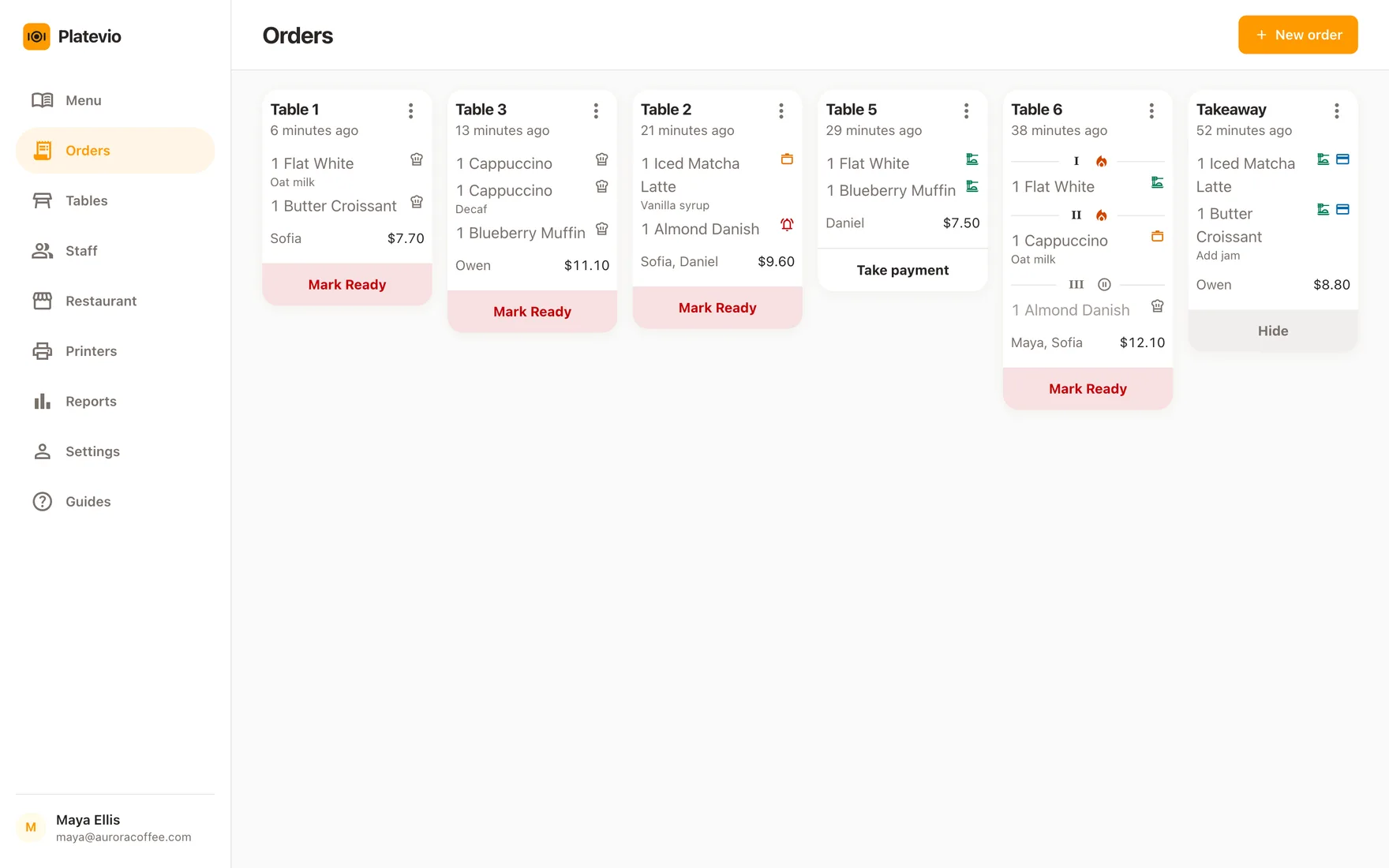
The rush does not slow down because the menu is one screen deep. It slows down when the till has to ask whether the kitchen saw it, when the pass has to work out which of the three burgers is the one with no pickles, and when the person handing food out calls a number that turns out to be missing its fries. Every one of those is the same failure: two people holding two versions of one order. Platevio keeps one — the items, the extras and the note on each unit, the short number the counter reads out, and each unit’s live state — on a server every device reads from, so what the till sent is what the pass sees, and the answer to "is it started" and "is it up" is on a screen instead of in somebody’s head.
What Platevio gives a quick service counter
Seven things, all of them about the ninety seconds between the till and the pass.
-
A menu built for the same order forty times
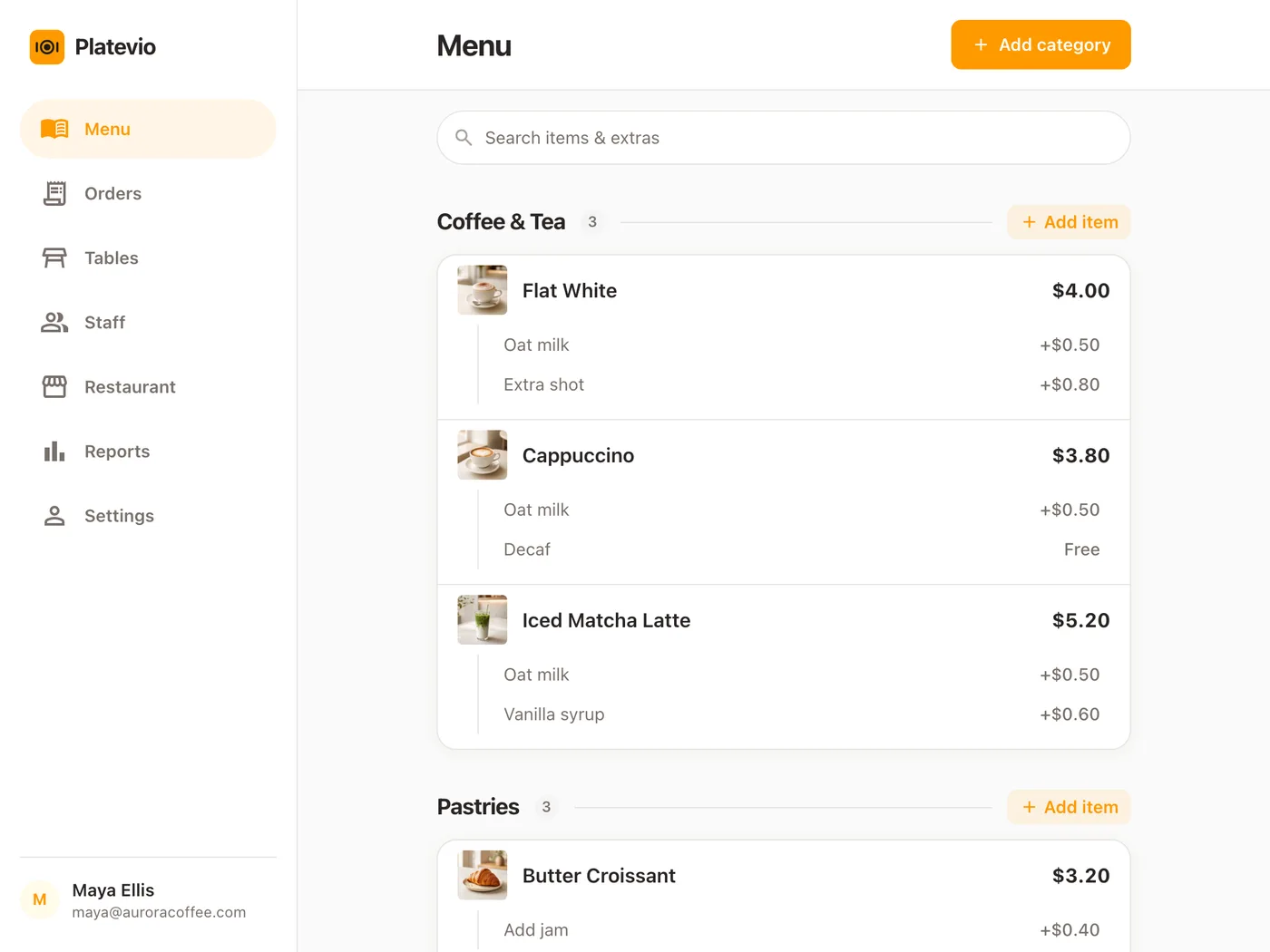
Your categories, in the order you sell them, each item with its price and a line of description for whoever started this week. Add a photo and the till shows it beside the name, and your Website shows it to the customer reading the menu before they queue. The high-volume things go where a thumb reaches first, and a price changed on the counter tablet reaches every other device without anybody reloading. When the day’s special runs out, one switch marks it unavailable and it is struck through on every till at once, so nobody can ring it — the price already captured on the orders that bought it stays as it was.
-
A short number on every order
Each order gets a short, human number of its own — the counter runs per restaurant, so it stays short rather than growing into a database id — and it is drawn on the order everywhere the order appears. That is what the till writes on the cup and what the pass calls out. An order needs no table, so a counter sells from the first minute without building a floor plan.
-
The modification reaches the pass attached
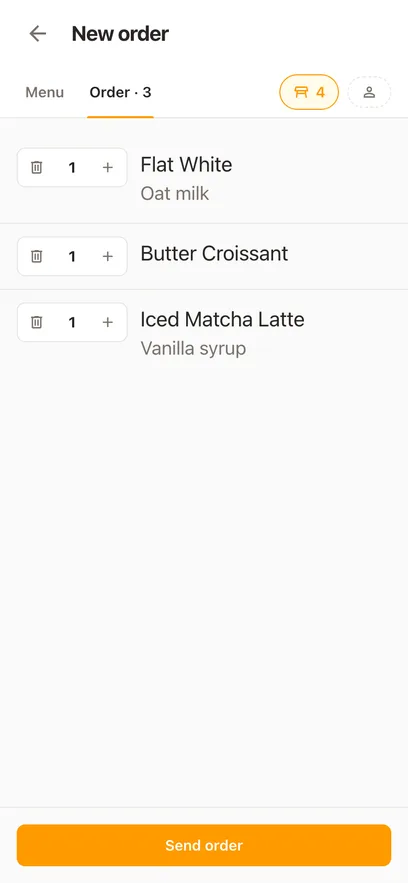
"No pickles." "Sauce on the side." A priced extra and a free-text note both sit on the single unit they are about, so the change made at the till is on that unit when the kitchen reads it, rather than on a ticket that says three burgers and leaves the rest to memory.
-
A live kitchen view, on a device you already own
Open the same orders on a screen at the pass and each unit moves through ordered, preparing, ready and served as the work happens. Two of the same item move separately, so one can be ready while the other is still on. Every device reads the one service off the server, and each change lands on the others without anybody touching them.
-
The ladder goes back down
Mark something ready too early and you can walk it back to preparing; a unit cancelled by mistake can be put back on the ladder. Nobody has to void the order and re-key it to fix one line. The fix is one tap on the one unit, and every other screen shows it the moment it is made.
-
A login each, and a role that matches the job
Owners, managers, cashiers, cooks and waiters each get their own access rather than one till password taped under the counter. Change somebody’s role or take it away when the job changes, without changing it for everyone.
-
Tickets and receipts, on the printer at the counter
Platevio prints to thermal printers over WiFi, Ethernet, USB and Bluetooth — ESC/POS and Star Micronics, which covers nearly every counter printer sold. Keep the one you have and drive it from the device the order was taken on, so the kitchen gets its ticket while the customer gets a receipt. With more than one kitchen printer, each gets only the dishes from the categories you gave it, so the grill never reads the fryer’s ticket.
One counter order, till to pass
A Thursday at ten past one, with six people in line and two of you working.
-
13:10
The order goes in at the till
Two burgers, one of them without pickles, fries and a drink. Five taps, an extra on one unit and a note on it, and it is sent as order 38.
-
13:11
The pass picks it up
The same service, on the screen by the fryer as soon as the till sends it rather than kept as a copy of its own. Each unit arrives with its extras and its note, so nobody is asking which burger is the plain one.
-
13:13
The fries are up before the burgers
Each unit goes to ready by itself, so the counter can see that 38 is not complete yet and does not call it a minute early with half of it missing.
-
13:14
“Thirty-eight!”
The number is on the order wherever it is drawn, so whoever is on the pass calls it without working out whose is whose.
-
13:15
It is settled and off the board
The card goes through the reader you already own; Platevio records that the order was settled and under which method. Then the finished order is hidden by hand, and the board is back to the five people still waiting.
How to choose a quick service POS system
Demo the rush, not the dashboard. Ring your five most common orders back to back, then a heavily modified one, then make an item ready too early and correct it. Time it against the person who actually works the till. The best POS for a quick service restaurant is the one that survives your worst twenty minutes, not the one with the longest feature list. Then ask the questions that decide what it costs you in year two.
- How many taps is the order you sell most, from empty screen to sent?
- Does the kitchen see the order the moment it is sent, on a screen it already has?
- Does a modification reach the right item at the right station, or only the ticket?
- Can somebody correct a status they got wrong without voiding the order?
- Are kitchen screens, extra devices and extra logins included, or charged monthly?
- Can the counter mark an item sold out and have every till see it at once?
- Is the software tied to their hardware or their card processing?
Quick service POS questions
- What is a QSR POS system?
- A QSR POS system — a quick service restaurant point of sale, spelled out — is the software a quick service restaurant takes orders on, plus whatever it runs on. What separates it from a full-service system is the shape of the transaction: entered fast, modified at the till, paid at once, and handed over against a number rather than a table. Platevio is that loop and nothing in the way of it: a menu, a short number, a live kitchen view and a settlement record, on the phones and tablets you already own.
- What is the difference between a quick service POS and a full-service one?
- A full-service system is organised around a check that stays open: tables, seats, courses, and a split at the end. A quick service system is organised around throughput: the fewest taps for a common order, a number the counter can call, and a kitchen queue that says what is still being made. Platevio does both — it runs a floor map for the rooms that have one — but it is configured by how you use it, not by a mode you pick.
- Is a fast food POS system the same as a quick service one?
- The same category under two names. Fast food, fast casual, quick service and QSR all describe one shape of transaction: entered fast, modified at the till, paid at once, handed over against a number rather than a table. A POS system for a fast food restaurant with one till and one pass, or a fast casual counter with a small room behind it, is exactly what this page is written for: the same short number, the same live kitchen view and the same free price.
- Can Platevio send orders to a kitchen display?
- Yes. Orders are visible on any device you sign in on, so a screen at the pass shows the same live orders the till sent, with each unit’s status moving as the work happens. It is the same view rather than a separate product, and it costs nothing per screen. Add a kitchen printer and each one prints only the dishes from the categories you gave it, so the grill and the fryer each get their own ticket.
- Can I mark an item sold out on the quick service POS?
- Yes. Every item has an available-to-order switch. Flip it when the special is gone and the item is struck through on every device at once — it keeps its place on the screen, but a tap on it adds nothing, so nobody at the till sells what the kitchen no longer has. Flip it back when the delivery arrives. Orders that already bought it keep the price they were charged.
- Can Platevio split a check at the counter?
- Yes, by item. Three burgers on one order can be three people paying separately: open the line up and tick the units each person is paying for, then record each settlement as cash or card. The money goes through the card reader you already own, and Platevio keeps the record of who paid for what.
- Does Platevio give a quick service counter sales reports?
- Yes. Sales, order counts, what is still unpaid and payments by method, per business day — a day runs from 6am to 6am, so a late close lands on the day it belongs to. Every number opens to the checks behind it, so a total you do not recognise is a tap away from the orders that made it.
- Does the quick service POS run on a phone or tablet?
- Yes. Platevio runs in a browser on the phones, tablets and computers your team already carries, or in the app, with no per-device fee. The till can be a tablet, the pass can be a phone propped by the fryer, and the app speaks 26 languages, so each device shows the language of whoever is holding it.
- How much does a quick service POS system cost?
- Count the whole bill: software per station, counter hardware, kitchen screens, card processing and whatever is charged per extra device, login or location. Platevio is free to use, runs on devices you already own, charges nothing per screen or per user, and takes no percentage of your sales — your payment provider stays a separate bill with a workflow of its own.
Open your restaurant tonight
It takes a minute: your restaurant, your first menu, and you are taking orders.