A café POS system that keeps up with the morning rush
Platevio is a point of sale for a coffee shop that keeps the drink, its extras, the note, what is still being made and what has been paid for in one browser tab. Take the next order on a phone or tablet already behind your counter — no terminal to buy, and no card processor to sign with.
What a café POS has to do that a restaurant POS does not
A cafe is not a restaurant that sells coffee. The work arrives in bursts, the average order is three items, and the queue can see you the whole time you are taking it. Nobody waits twenty minutes for a table to turn; they wait ninety seconds and watch. That changes what the software has to be good at. A full-service system is built around the check — one long-lived thing that grows through a service and gets split at the end. A cafe needs the opposite: the order finished in a handful of taps, sent whole, and read correctly by whoever is on the bar, forty times in the same half hour. It also has to survive a room that changes character at eleven, when the same counter starts serving people who sit down.
A latte is one tap. Everything said after it is the problem.
Adding "latte" to an order is not what goes wrong. What goes wrong is oat, half-sweet, an extra shot, and a croissant warm but not toasted — four pieces of detail attached to two different items, spoken once, at the counter, to somebody who then has to carry them to the bar. Written on a cup, they survive. Held in a head, they survive until the third order behind them. Platevio takes them as data on the individual unit: the milk and the shot are extras on that drink, and the "warm, do not toast" is a note on that croissant. Both travel with it, both are still there when the bar reads it, and neither depends on anyone remembering.
What Platevio gives a coffee shop
Seven things, all of them about the same ninety seconds.
-
A menu laid out the way you sell it
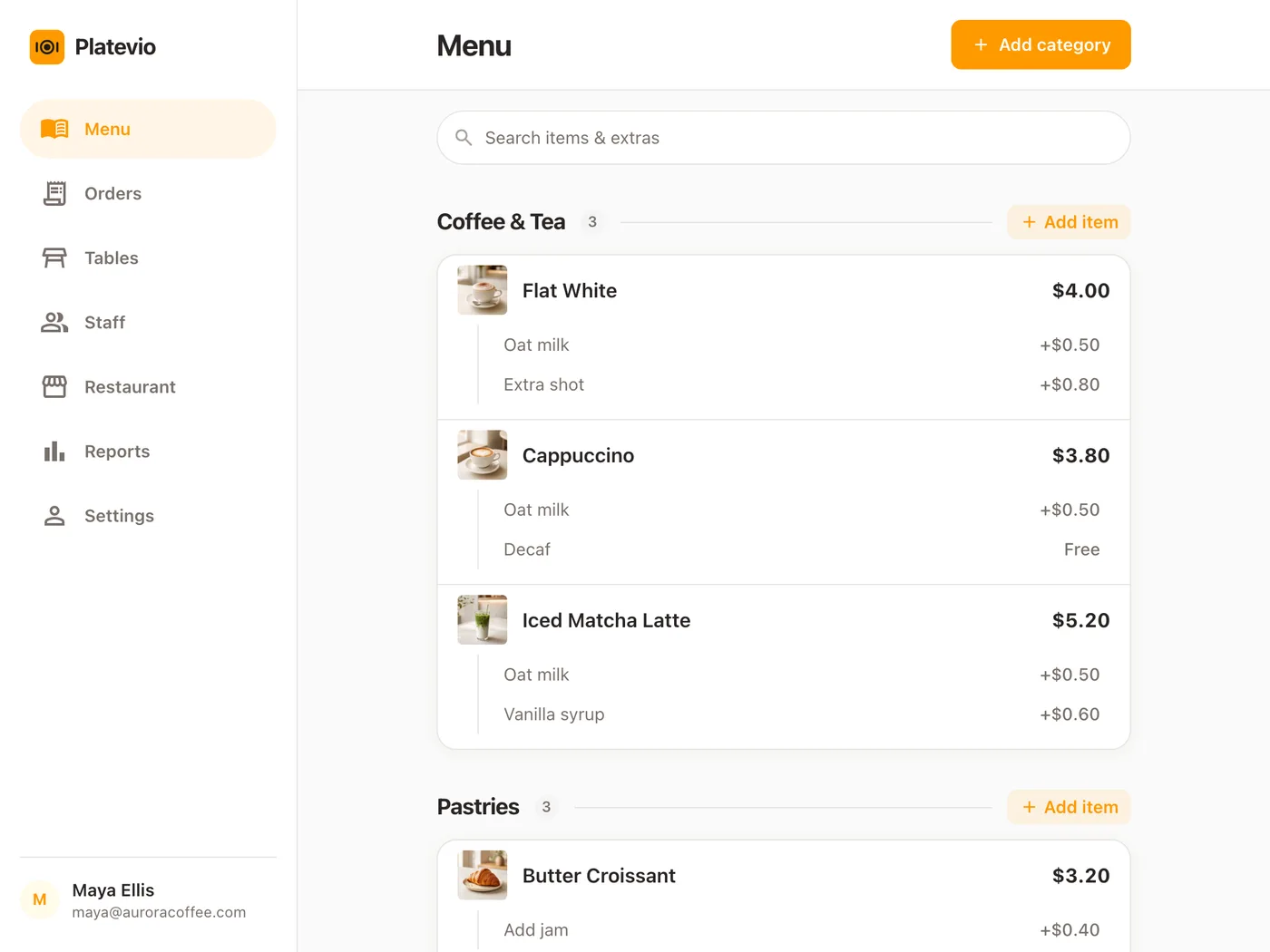
Espresso, batch brew, tea, cold drinks, pastry — your categories, in your order, each item with a price and a line of description for whoever started on Monday. Change a price from the same tablet you take orders on, and every other device has it moments later, without anybody reloading.
-
Oat, decaf and the syrups, priced on the drink
Set up the extras a drink can take — the milks, the extra shot, each syrup — and choose them on the individual cup as you take the order. A priced one adds itself to that cup, so the bill is right without anyone doing arithmetic at the counter.
-
The price the guest actually agreed to
The name and the price of an item and of every extra are copied onto the order at the moment it is taken. Repricing the menu tomorrow morning does not reach back into a bill that is still open on the counter.
-
Notes that survive the handoff
"Warm, do not toast." "Nut allergy." "Ice on the side." A note sits on the one unit it is about, not on the order and not in the cashier’s memory, so it is still attached when that unit reaches the person making it.
-
The order knows which table it is on
Put the order on the table it is sitting at, and the check follows the room rather than the person who took it. A table is a reference, not a copy, so renaming table 4 renames it on the check already open there.
-
Every cup on its own clock
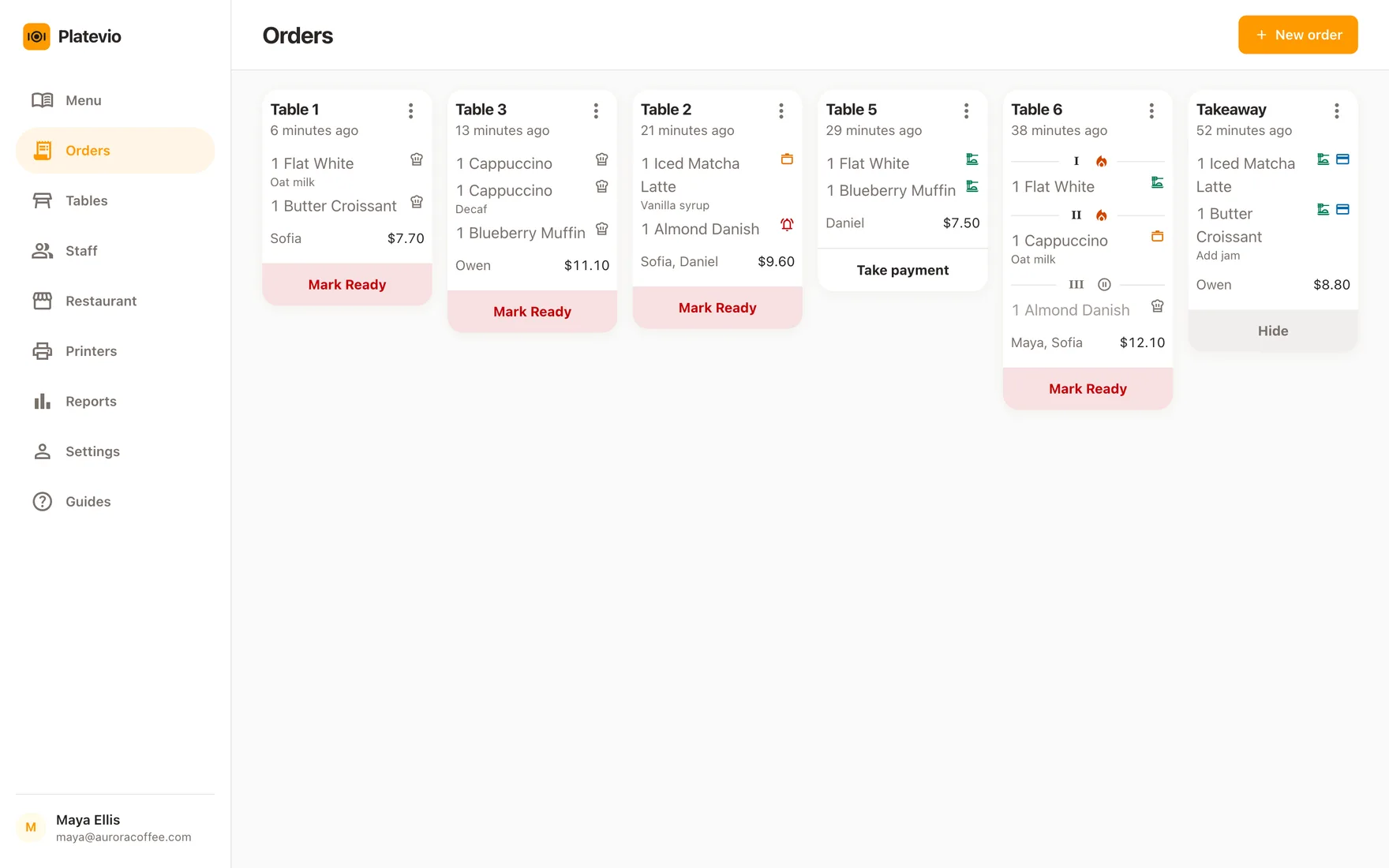
Each unit moves through ordered, preparing, ready and served by itself, so the muffin can be ready while two flat whites are still being made. Mark the wrong one ready and you can walk it back down again, and a unit cancelled by mistake can be put back on the ladder.
-
Receipts and tickets, on the printer already behind your counter
Platevio prints to thermal printers over WiFi, Ethernet, USB and Bluetooth — ESC/POS and Star Micronics, which between them cover nearly every counter printer sold. Nothing has to be bought from us and nothing is locked to us: keep the printer you have, and drive it from the same phone, tablet or laptop you take the order on.
One café order, end to end
A Tuesday at twenty to eight, with four people behind the one in front of you.
-
07:41
The order goes in at the counter
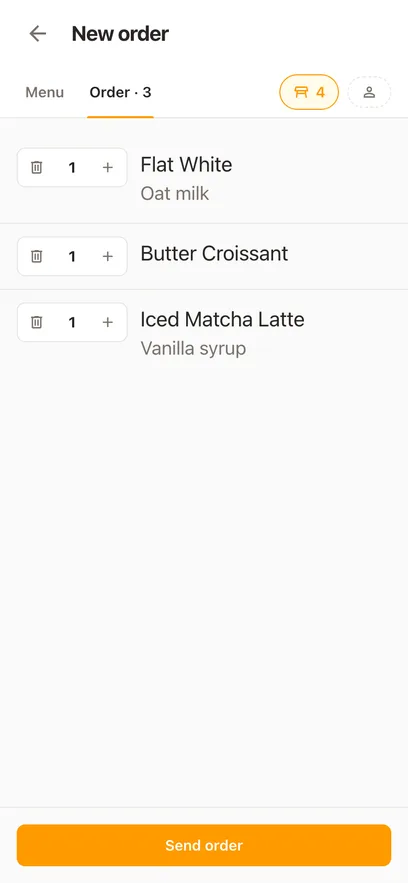
Two flat whites, one on oat with an extra shot, and a croissant with a note on it, on the table by the window. Four taps and it is sent.
-
07:41
The bar reads it, extras and all
Every unit arrives with the milk, the shot and the note still attached to the right item. Nobody translates handwriting and nobody shouts a question back over the grinder.
-
07:42
The croissant is ready before the coffee
The pastry goes to ready on its own while the drinks are still preparing, so the counter can answer "is the food up?" by looking rather than by asking.
-
07:43
It is paid for, cup by cup if that is how they are paying
Mark the whole order settled, or just the two coffees one of them is covering, and say how — cash, card, cheque, meal voucher. The card itself goes through your own reader, so no percentage of it comes to us.
How to choose a POS for a coffee shop
Do not judge one of these on a demo order. Ask each vendor to build yours: a large half-sweet oat latte with an extra shot, a pastry with a preparation note, one item changed after it was sent, and a seated table splitting the bill two ways. Count the taps, and watch where the detail goes. The best POS for a cafe, or the best point of sale system for a coffee shop, is the same thing judged on the same ninety seconds: the third order of the morning going out without anyone having to ask a question. Then ask the questions that decide what it really costs.
- Is the free plan free because you have to take their card processing?
- Which of drink modifiers, kitchen screens, receipt printing and extra devices cost more than the headline?
- When a price changes or a pastry sells out, does every device know at once, or does someone reload each one?
- Can it run on hardware you already own, or is a terminal part of the deal?
- Can you export your menu and your sales history on the day you leave?
- Can somebody who started this morning take the usual order without help?
Café POS questions
- What is a café POS system?
- A café POS system is the software your counter takes orders on, plus whatever you run it on. It holds the drinks and food a guest asked for, the modifications they asked for on top, the handoff to whoever makes them, and the record of how the order was paid for. What separates it from a retail till is the modifications: a cafe sells the same six drinks all day and almost never sells them the same way twice.
- Is a café POS the same as a coffee shop POS?
- For almost every buyer, yes — café POS, coffee shop POS, coffee house POS and coffee shop point of sale describe one category, and this page is written for all of them. A cafeteria counter selling coffee and food to whoever walks in runs on exactly the same thing: one menu, extras priced on the cup, and a board that shows what is still being made. The one genuine fork is the room. A counter with no tables takes the order on no table at all; a cafe with real table service draws its floor plan in Platevio, sees which tables are open from the same tablet, and splits the bill by item when the people at the window table pay separately.
- Is Platevio coffee shop management software as well as a POS?
- It is the management a coffee shop counter actually runs on. The menu is managed from the same tablet that takes orders, and a price change reaches every device moments later. Staff sign in as themselves — Owner, Administrator, Manager, Waiter or Cook — so the person who started on Monday can take orders without being able to change prices, and each of them sees the app in their own language, out of 26. Reports show what was sold, how many orders there were, what is still unpaid and how much came in by cash, card, cheque or meal voucher, cut by business day from six in the morning to six the next, with every check behind every number one tap away.
- Can Platevio handle milk choices, syrups and extra shots?
- Yes. Set them up as extras on the drink, then choose the guest’s on the individual cup as you take the order, and a priced one adds itself to that cup. Anything too unusual to deserve a permanent option goes in the note instead, which travels with the same unit.
- Can Platevio mark a pastry sold out in the middle of the rush?
- Yes. Every menu item has an "Available to order" switch. Flip it on the last almond croissant and it greys out, struck through, on every phone and tablet behind the counter at the same moment, so nobody sells one that is not there and nobody has to shout it down the line. Flip it back when the next tray comes out of the oven. The item keeps its price and its extras the whole time; only whether it can be ordered changes.
- What hardware does a small coffee shop need for Platevio?
- A phone, a tablet or a laptop with a current browser, and a connection. That is the whole list for the POS itself. Card payments keep going through the reader or terminal you already have, because Platevio records how an order was paid and never processes the card. Receipts and kitchen tickets print to a thermal printer you already own, over WiFi, Ethernet, USB or Bluetooth.
- Can Platevio replace a coffee shop till system?
- For the sale itself, yes. The order, the price it was sold at, the extras, the note and how each item was settled all live in Platevio, on a phone or tablet already behind your counter, and the receipt prints to the thermal printer you already have. Card payments keep going through your own reader, so the switch changes nothing about how you get paid and costs you no percentage. Cash goes into the cash box you already keep. At the end of the day, the report for that business day shows what came in by cash and what came in by card, with every check behind it.
- Does Platevio show the bar what is still being made?
- Yes. Every unit the counter sends appears on the board with its milk, its shot and its note attached, and whoever is on the bar moves each one to preparing and then ready as it goes — the croissant before the two flat whites, if that is the order they come up in. It is the same board the order was taken on, so the counter sees it on its own device and "is the window table’s food up?" is answered by looking. A unit marked ready too early is put back with a tap, and one cancelled by mistake is put back on the order.
- How much does a café POS system cost?
- Add up four numbers, not one: the software, the hardware, the card processing and whatever is charged as an add-on. A zero-dollar plan that requires the vendor’s processing is not the cheapest of the four. Platevio is free to use, runs on devices you already own, and takes no percentage of your sales, because it is not your processor.
Open your restaurant tonight
It takes a minute: your restaurant, your first menu, and you are taking orders.