Free. No card, no plan.
Restaurant menu management software that every phone reads at once
Categories, items, prices and extras, edited from the phone in your pocket. Change a price or mark a dish out and every phone, tablet and laptop in the room has it before the next order. Free — no per-screen, per-handheld or per-user fee, and nothing charged per item.
No card needed. Runs in the browser or the app.
What restaurant menu management software is
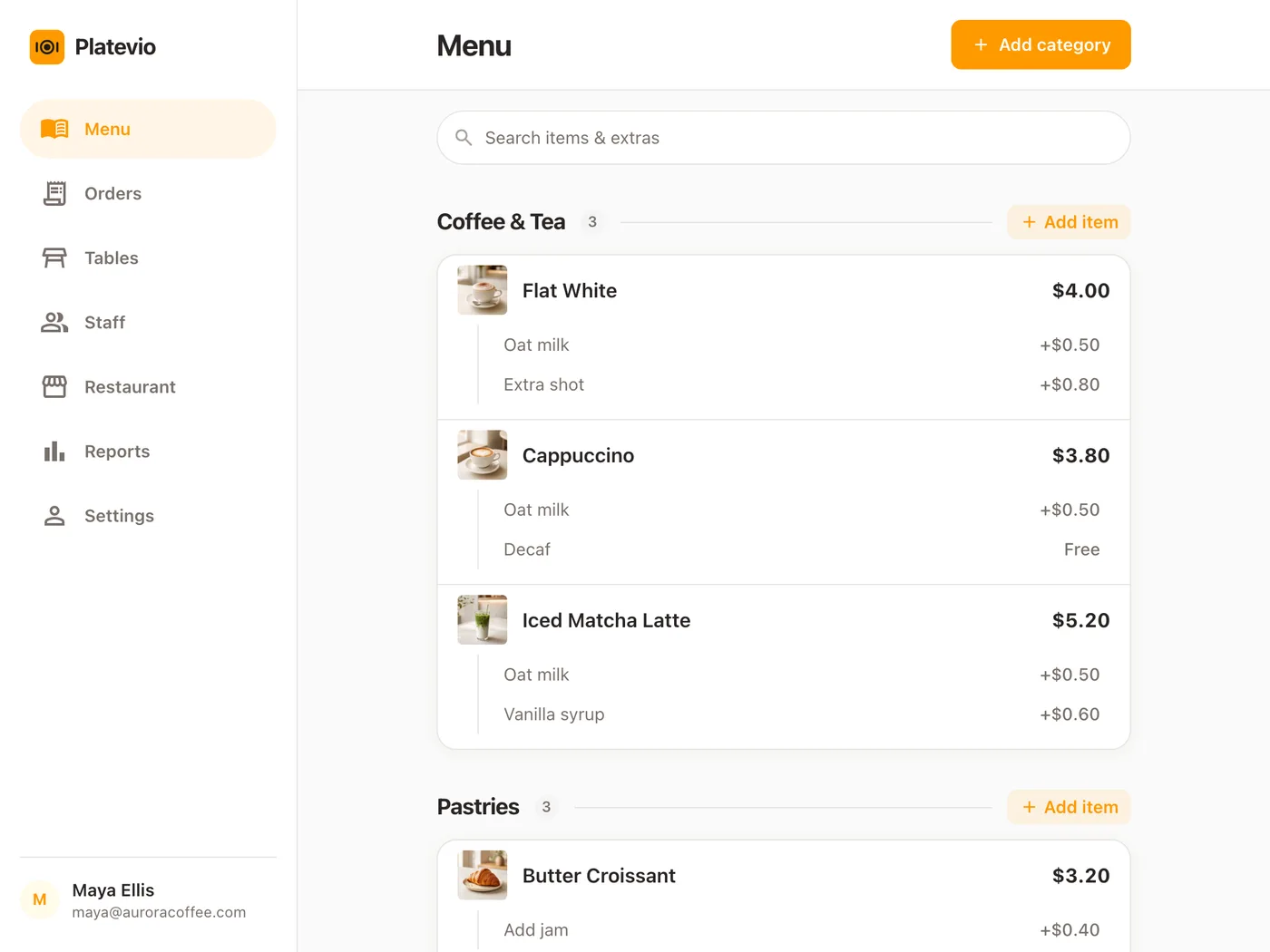
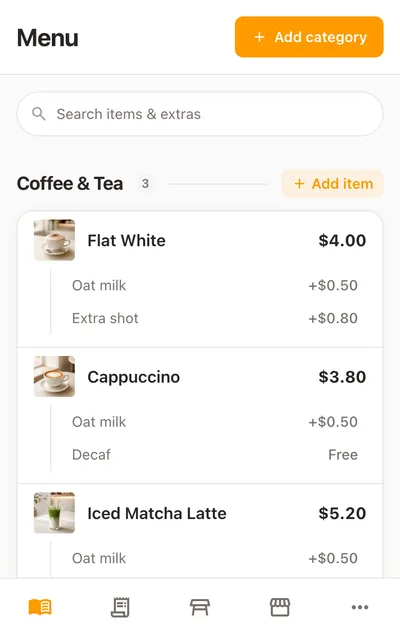
Restaurant menu management software is the part of a point of sale where the menu lives: the dishes, their prices, the changes a guest can ask for, and whether the kitchen can still make each one tonight. In a POS the menu is also how an order is built — what a waiter taps, what the kitchen reads, what the bill adds up — so every change has to be on the waiter’s screen before the next order. Menu management system, POS menu, restaurant menu management: the trade has several names for one screen.
-
Categories
How the menu is grouped — Coffee & Tea, Mains, Drinks. It is also how a waiter finds a dish, and how a printer knows which tickets are its own.
-
Items
Each dish or drink, with its name, its price and a short description if it wants one. An item lives in one category and can be moved to another.
-
Extras
The priced or free changes a guest can ask for on a dish — oat milk, an extra shot, sauce on the side. The trade also calls them modifiers.
-
Availability
Whether a dish can be ordered right now. Kitchens call running out "86-ing" a dish; on the item it is a field, Available to order, Yes or No.
The 86 board, or a menu every phone reads
Most kitchens run out of things the old way: a line on the whiteboard, a shout through the pass, a waiter on the terrace who missed both. Platevio makes the menu the thing everyone reads, and the menu is where the change is made.
-
Nobody misses the shout
The dish is struck through on every waiter’s phone, wherever they are standing, and a tap on it does nothing. Nobody has to be told; their screen already knows.
-
One change, not a reprint
A new price is on every signed-in device the moment it is saved, and it is the price the next dish is rung up at. Nothing to publish, nothing to sync.
-
What was sold stays sold
Orders already taken keep the dishes and prices they were sold with, so changing the menu mid-service never rewrites an open check.
-
The change stays attached to the dish
Extras are chosen from the menu on the dish they belong to, so "oat milk" reaches the kitchen and the bill without anybody remembering it.
One Friday’s menu, from set-up to close
A 60-seat restaurant: a manager with the menu on her phone, four waiters with theirs.
-
16:30
A price goes up
The fish supplier’s invoice is in. The manager opens the sea bass on her phone, changes the price and saves. It is on every phone in the building before the first waiter clocks in.
-
18:05
Orders go in at the new price
Table 4 orders the sea bass with the sauce on the side, ticked as an extra. The waiter’s phone rings it up at tonight’s price, extra included.
-
19:40
The kitchen runs out of salmon
The chef says so across the pass. The manager opens the salmon and sets Available to order to No. On every waiter’s phone it is struck through, and a tap on it does nothing. The two salmon already ordered still go out.
-
19:52
A special goes on
She adds Market fish to Mains with its price, saves, and gives it two extras. It is on every phone, ready to order, before hers is back in her pocket.
-
Sat 10:00
Salmon is back
The delivery comes in and the salmon goes back to Yes. Nothing resets on its own overnight, so a dish is never back on sale before the kitchen says so.
What Platevio’s menu management does
Eight things, every one of them in the app today.
-
Mark a dish out in one change
Set Available to order to No and the dish stays in its place, struck through on the menu page and on every order screen, until you set it back to Yes.
-
Change a price mid-service
Save it and every signed-in phone, tablet and laptop has it at once. Orders already taken keep the price they were sold at.
-
Categories and items, in your words
A name, a price and a description for each item, under categories you name yourself. Move an item to another category from its own page.
-
Extras on every dish
Each extra has a name and a price, or a blank price for a free one. The waiter ticks the ones the guest wants, and they travel with the dish to the kitchen and the bill.
-
Search the whole menu
Type part of a name, a description or an extra and the list narrows as you type, on the menu page and the order screen alike.
-
The right people edit it
Owners, administrators and managers change the menu. Waiters, cooks, bartenders and cashiers see the same menu — the same prices, the same dishes struck out — read-only.
-
Your currency, written properly
One currency for the menu, chosen from 157, with the decimals that currency actually uses. A new restaurant starts from a sample café menu already priced in its country’s currency.
-
Categories that decide the tickets
Each printer prints only the categories you give it, so food goes to the kitchen and drinks to the bar — over WiFi, Ethernet, USB or Bluetooth, to ESC/POS and Star Micronics printers.
Everything a dish is, on one screen
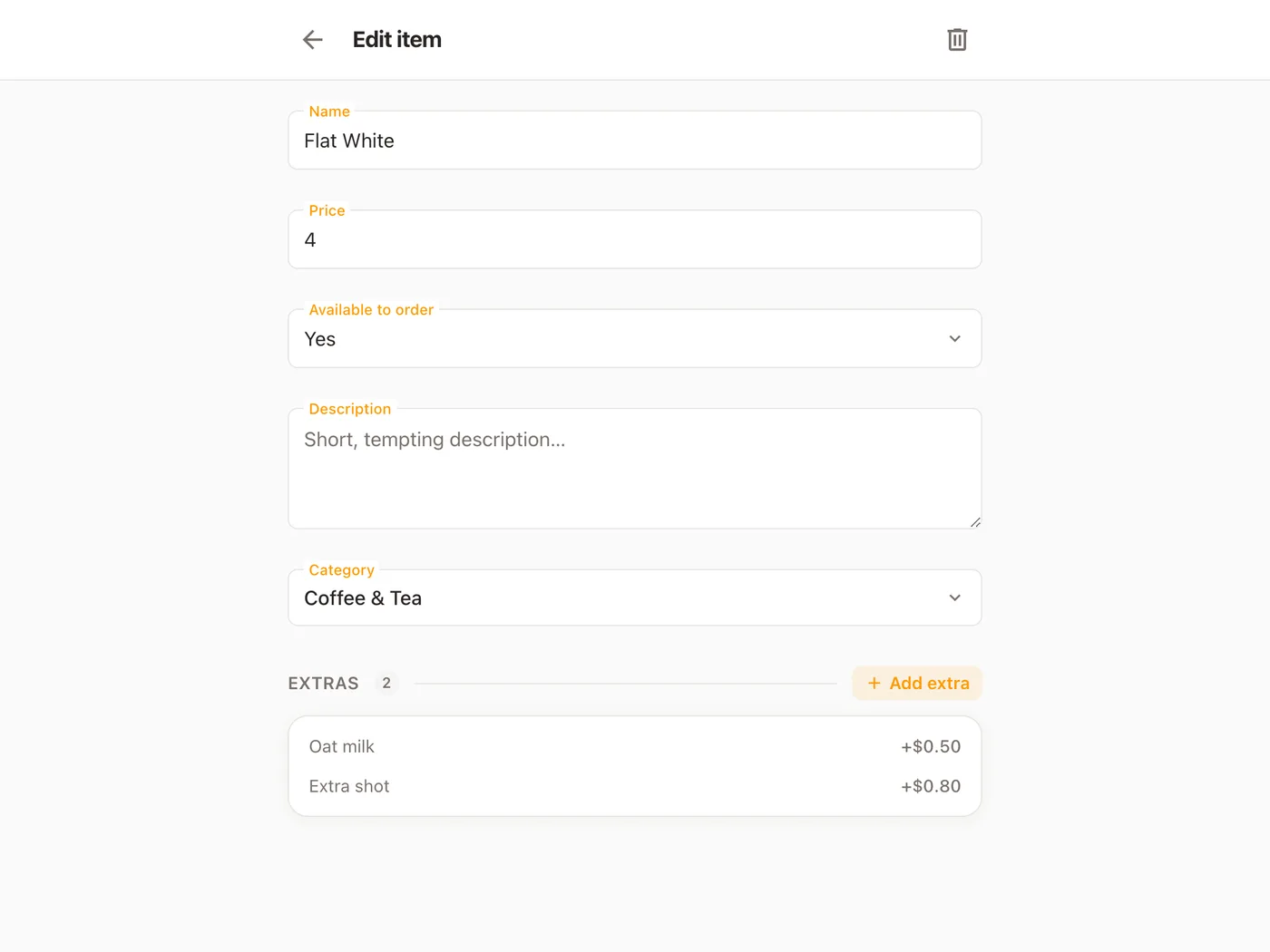
Open any dish and this is what you get: the Flat White’s name and price, Available to order set to Yes, an empty description, its category, and its two extras, Oat milk and Extra shot, each with a price. It is the screen the manager used at 19:40. An item carries its own extras and its own availability, so there is one place to change either: save, and every device in the room takes the next order from the new menu. There is only ever one version of it.
What to ask about any menu management system
Five questions for any demo.
- When a dish runs out, how many taps until every waiter’s screen shows it?
- Does a price change reach the floor at once, or at the next publish or sync?
- What happens to the orders already open when a price changes?
- Who on the staff can change the menu, and can everyone else still see it?
- Is the menu charged per device, per terminal or per user?
Menu management questions
- What is restaurant menu management software?
- The part of a POS where the menu is kept: categories, dishes and prices, the extras a guest can ask for, and whether each dish can be ordered right now.
- What does it mean to 86 an item, and how do I do it in Platevio?
- "86" is kitchen shorthand for "we’re out of it". In Platevio an owner, administrator or manager opens the dish and sets Available to order to No. It is struck through on every phone and cannot be added to an order until somebody sets it back to Yes.
- Can I change the menu during service?
- Yes. Save a new price, a new dish or a dish that has run out, and every signed-in phone, tablet and laptop has it at once, with nothing to publish. The next order is taken from the new menu.
- Will changing a price affect orders already taken?
- No. Every order keeps the name and price each dish and extra was sold at, so a new price applies from the next dish rung up and never rewrites an open check.
- What are menu modifiers?
- Modifiers — Platevio calls them extras — are the changes a guest can ask for on a dish: oat milk, an extra shot, sauce on the side. Each has a price or is free, and the chosen ones travel with the dish to the kitchen and the bill.
- Who can change the menu?
- Owners, administrators and managers. Everyone else on the staff sees the same menu, with the same prices and the same dishes marked out, and orders from it without being able to change it.
- How much does restaurant menu management software cost?
- Nothing. Platevio is free, with no per-screen, per-handheld or per-user fee and nothing charged per item, and it runs in a browser on the devices you already own.
Open your restaurant tonight
It takes a minute: your restaurant, your first menu, and you are taking orders.